
Midwest Mods
Members
-
Joined
-
Last visited
Everything posted by Midwest Mods
-
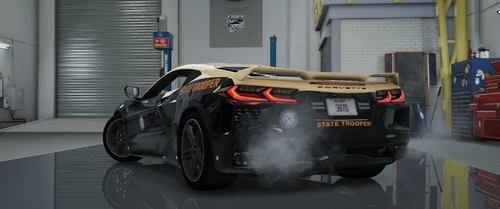 Unless you live under a rock, you should be aware by now that FHP unveiled their newest car to the fleet, a one-off 2023 Corvette C8 Stingray. So, I set out to make one as close as I could and here it is. Federal Signal Lighting All blue and white like FHP NOTES: The lighting is NOT 100% accurate. ELS is limited so the park patterns and other cool lighting isn't present here. The interior is as close as I could get it to the real life counterpart with the resources I have. I never intended on this being a 1 to 1 copy, so if that's what you're looking for, it isn't this one. But if you're someone like me who doesn't really care if every detail is PERFECT, this may be up your alley. The els xml does have a "park pattern" being utilized. All it does is slow down the speed of the lights to a more slower, steady flash similar to the real-life variant. Like what you see and want more high quality ELS vehicles? Join the discord here - https://discord.gg/VfEsXF5Qfe
 -
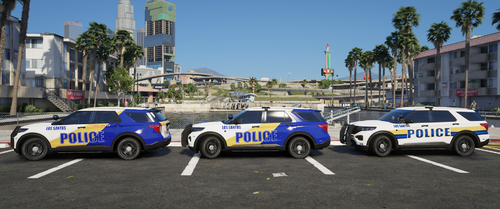 -Includes- 2020 FPIU 2011 Impala 2016 FPIU (Kane) 2021 F150 2021 Tahoe Multiple variants for each car including Lore (Mirror Park / Los Santos) Non-Lore (Winter Springs) Amongst those are ghosted, k9, old and new versions. These are roughly a year old so I won't be updating or adding anything. Cars are mainly from Sky's Orange County Pack.
 -
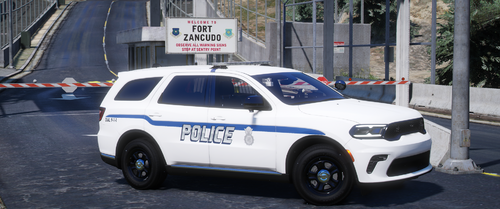 Today I'm releasing one car from a pack I'm working on. Pretty excited to bring you all this as military police cars are few and far between to find. So, here's my 2025 Dodge Durango based on the cars I've driven the last 6 years. I based these off of my unit's cars, not the Air Force as a whole. Generally speaking, each base has different setups, this is just what my base uses, so don't complain that this isn't "accurate" because I can assure you it is. Fully loaded interior, all Whelen setup, trunk lights when you open it for rear visibility, etc. I thought of everything when making this vehicle. Originally was a paid mod and has been out for about 2 months now, so any and all errors should be non existent. If you do happen to come across any, open a ticket in my discord and we'll get you squared away. It's also a great place to hangout if you love all things gaming and want to follow along on the progress of this pack, amongst others. HUGE shoutout to @J. Cerbone (Gandalfvevo) for letting me use his livery. I could never get this one right so thank you. Enjoy! https://discord.gg/VfEsXF5Qfe
- 5 comments
- 2 reviews
-
-

-

- 8
-
-
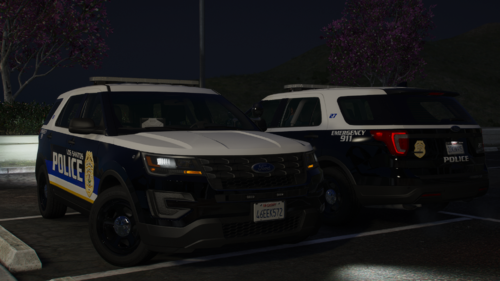 Looks good, however, I noticed the lightbar doesn't have any brackets holding it to the vehicle.
 -
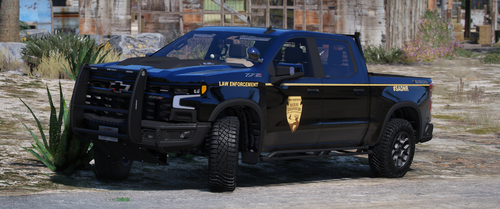 Yes it is a DLC pack. You install it like any other DLC. Then you'll need a trainer to spawn the vehicle like simple trainer. I believe the spawn code is 23silverbi or something similar. If you're unaware of how to install a dlc pack, I'll save you the time from watching a video. Navigate to your dlc packs, drag and drop the dlc pack. It's inside the "DLC" folder. Then go here - GTAV>mods>update>update.rpf>common>data> Right click your dlclist.xml and edit it. Go all the way to the bottom and add this line below your last dlc line and add this line <Item>dlcpacks:/23silverbi/</Item> Save and close. Next add the els xml to the els folder. Then utilizing a trainer, you can spawn the vehicle.
 -
Interesting. I'll take a look into this. I appreciate you letting me know.
-
What do you mean by slightly messed up? I'm updating the flags now. Never realized that I didn't change those. The xml was designed to have the headache lights active on all 3 stages because it gives it a different pattern. You can easily deactivate them by pressing "k" or you can simply go into the xml and change the warning lights to not be activated at stage 3.
-
 HOT
HOT -
Simple answer - Yes it can be. Will I be de-badging it? No I will not. As indicated on the main file, it's in a finished state therefore I won't be updating or changing anything. As for your other question. It's a very basic ELS vehicle. None of the parts can be removed as it is not set up that way. What you see is what you get.
-
You know, for someone who built the truck you think I would've remembered that lmao. It's an older build and I overlooked that. Thanks for pointing it out!
-
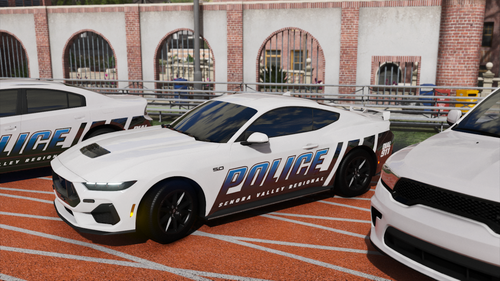
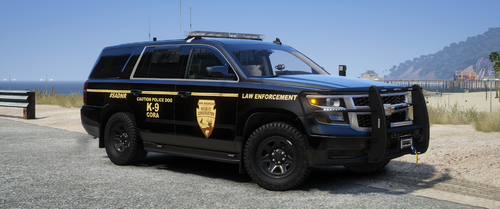 Here is a quick little pack I made up. Not based on any IRL builds, just a simple look I liked. Vehicle's in the pics are from Infidels SADNR besides the 23 Silverado. That can be found linked below. Infidel's cars are paid and can be found on Modification Universe. Enjoy! https://modification-universe.com/forums/resources/categories/paid-assets.99/
 -
Here's a quick release for ya'll Credits in the download Comes with 2 liveries Pretty basic lighting setup like most Game Warden vehicles. Enjoy!
-
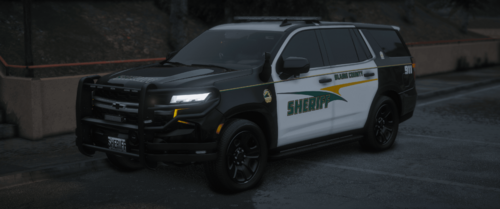 These are liveries? Liveries aren't exclusive to els or non els.
 -
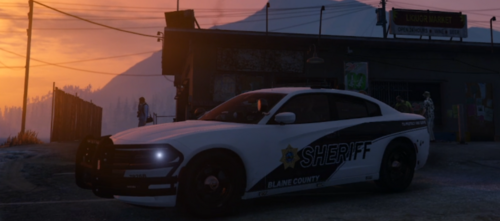 Just wanted to point out "Blaine" is spelled "Blane" on the cars.
 -
It has to do with the compression. Scorpions cars are designed to be used as bc7, not dxt5 which is what I exported them as. When you open up Openiv, after adding the livery, you can either double click on it or right click, press properties, then change the pixel format to bc7
-
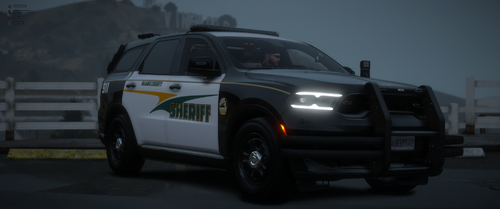 What issues are you having? Like the back door isn't opening or? I'm not having any issues putting anyone in the back.
- 49 comments
- 4 reviews
-
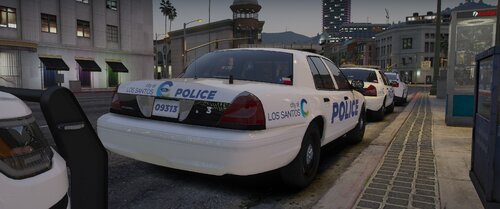 As an Ohioan, these are HOT. Good job!
 -
That's how the XML is setup. If you edit it, at the top it'll say "<LstgActivationType>auto</LstgActivationType>" Change "auto" to "manual" then you'll have all 3 stages
- 49 comments
- 4 reviews
-
-
- 1
-
-
-
Added it. Update is uploading I uploaded the old version by accident. I triple checked it was correct this time lol. Give it a few and it'll be uploaded.
- 49 comments
- 4 reviews
-
-
Nope my dumbass forgot to include it. Pushing an update now. No, I forgot to include the DLC pack like a dumbass lmao. Update is being uploaded
- 49 comments
- 4 reviews
-
The only other update with be to add all blue lighting. I won't be removing the amber lights in the rear.
- 49 comments
- 4 reviews
-
There isn't a fix as I'm not sure what the problem is. I don't have any issues with it showing up in my game, nor do the majority of users so it leads me to believe its an isolated incident. Try typing the model name in the trainer and see if it pops up that way. Also ensure you don't have any other DLC's that use the same name as this one for the vehicle itself. That's all I can think of honestly.
- 49 comments
- 4 reviews
-