Midwest Mods
Members
-
Joined
-
Last visited
Everything posted by Midwest Mods
-
-
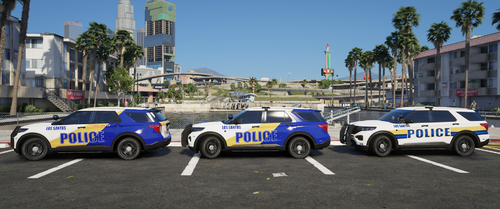 These were mostly used on Sky's Orange County Pack. They were released on here at one point but I'm pretty sure you can only get it through his discord now. He also has invited turned off so it's not possible to be invited.
 -
 They are in my discord. I will upload the templates here when I update the pack.
- 147 comments
- 12 reviews
-
-
-
That's something you can easily change. If you don't want to use it, then don't use it. I couldn't care less. All anyone does on this website is bitch and complain. Stages are set to auto. That can easily be changed. As for the lights, you must have ELS installed wrong or something. Maybe the xmls aren't installed. You're the only person to mention the lights not working so its an issue on your end.
- 147 comments
- 12 reviews
-
-
You must have installed it incorrectly somehow. I promise you everything works. Try reinstalling the pack or you're trying to open the dlc too fast after installing it.
- 147 comments
- 12 reviews
-
-

- 1
-
-
You need to give it time in open iv. You can't open it immediately. Its a bigger file.
- 147 comments
- 12 reviews
-
It looks like a graphics issue. Try installing No Coronas from gta5 mods. No slick top or any other additions will be added. This project is completed and won't be worked on anymore. As for the other issues, I'm not sure what you're asking.
- 147 comments
- 12 reviews
-
-
- 1
-
-
-
I'm not sure what the issue would be. You're the only person who has this issue so it has to be something on your end.
- 147 comments
- 12 reviews
-
You definitely messed up somehwhere. I recommend reinstalling completely or seeing if you have any conflicting mods.
- 147 comments
- 12 reviews
-
Yes. They will be uploaded in the next update. For now they can be found in my Discord.
- 147 comments
- 12 reviews
-
Not on this pack. Change the handling id to something else. I'm currently experiencing with it myself.
- 147 comments
- 12 reviews
-
-
- 1
-
-
There is a planned final fix to address all of these issues. Yes. In the meantime, they're posted in my discord.
- 147 comments
- 12 reviews
-
-
- 1
-
-
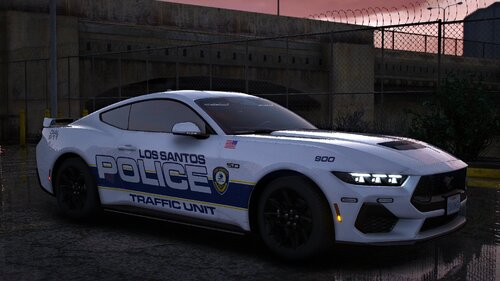 Top tier shit right here. Good job man.
 -
I won't be adding anything more to this. It's already a huge pack. I've moved onto other projects.
- 147 comments
- 12 reviews
-
Interesting. I haven't had that issue at all and you're the first to report it. Not sure how to fix that on your end unfortunately. Try reinstalling the files? Yeah. Its weird. I posted it in the update section but you probably didn't see it. The 25 FPIU spawns in with blacked out lights as a replace vehicle. I think there is a way to fix it. If I can figure out a way to get it to spawn w/o tint, I'll update the download. If not, I'll end up making it addon like the rest of the cars. For now the only fix is to use a trainer and remove it manually. That sounds like an issue on your end. I've never had my ELS make weird noises like that and I honesty have no idea how to fix it.
- 147 comments
- 12 reviews
-
-

- 1
-
-
Hey there! I've fixed the 2026 takedowns and will get that update pushed out soon. As for the tail lights, that's a model issue unfortunately. Yes. In the els xml there is a section labeled "Out of Veh" Change that number value to whatever the primary lights are set to.
- 147 comments
- 12 reviews
-
-
- 1
-
-
Unfortunately not. Thank you as well! I'm not entirely sure to be honest. It came that way from Raz3r. I'm sure there is a way but I'm not entirely sure how.
- 147 comments
- 12 reviews
-
I had to fix the whole dlc pack at one point and clearly forgot to change that. Will be added next update.
- 147 comments
- 12 reviews
-
Hey now. Michigan is where it's at. I'm from Ohio and Michigan so I get both sides. Thanks for checking out the cars!
- 147 comments
- 12 reviews
-
-
- 1
-
-
Sometimes you have to put the dlc list line at the top of your added lines if that makes sense. I've had this happen a few times to me before. I have no idea why it happens but that usually fixes it. I have a ton of PD liveries and so do others that fit these cars. Just gotta find some you like.
- 147 comments
- 12 reviews
-
Drag and drop the all blue files into the vehicle ytd. Save and close. If I were to have included a separate folder for just all blue it would have been over 2gb.
- 147 comments
- 12 reviews