Skip to content
View in the app

A better way to browse. Learn more.

LCPDFR.com

A full-screen app on your home screen with push notifications, badges and more.

To install this app on iOS and iPadOS
  1. Tap the Share icon in Safari
  2. Scroll the menu and tap Add to Home Screen.
  3. Tap Add in the top-right corner.
To install this app on Android
  1. Tap the 3-dot menu (⋮) in the top-right corner of the browser.
  2. Tap Add to Home screen or Install app.
  3. Confirm by tapping Install.

Airstrike

Members
  • Joined

  • Last visited

Everything posted by Airstrike

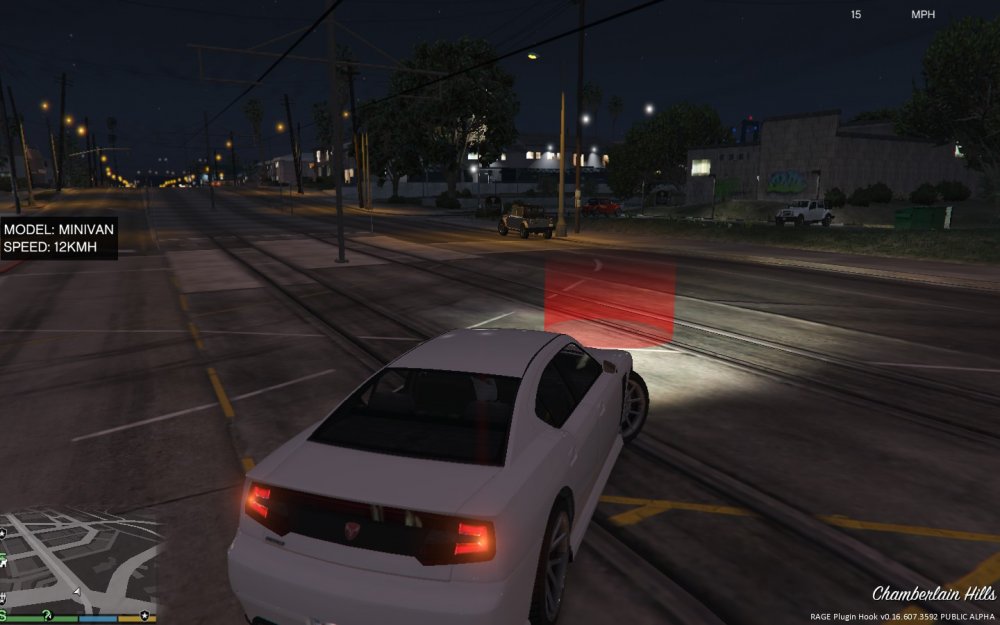
  1. The picture I uploaded to show you that the flag is not displayed like and i dont have flag chance in the configuration file. ive posted what i have in my INI file.
  2. Yes. and thank you
  3. Hello thank you for reading this i have 2 things i need help to solve and im sure its going to be easy to answer. 1. How to set units speed limit 2. How to display Flags. I got Model,speed but no flags display This is all in the speedradar.ini: //Acceptable Units: KMH, MPH (case sensitive) RadarUnits=MPH 60 ToggleRadar=F5 PositionReset=NumPad5 PositionForward=NumPad8 PositionBackward=NumPad2 PositionRight=NumPad6 PositionLeft=NumPad4 PositionUp=NumPad9 PositionDown=NumPad3

Account

Navigation

Search

Search

Configure browser push notifications

Chrome (Android)
  1. Tap the lock icon next to the address bar.
  2. Tap Permissions → Notifications.
  3. Adjust your preference.
Chrome (Desktop)
  1. Click the padlock icon in the address bar.
  2. Select Site settings.
  3. Find Notifications and adjust your preference.