


Skaider
Members
-
Joined
-
Last visited
Everything posted by Skaider
-
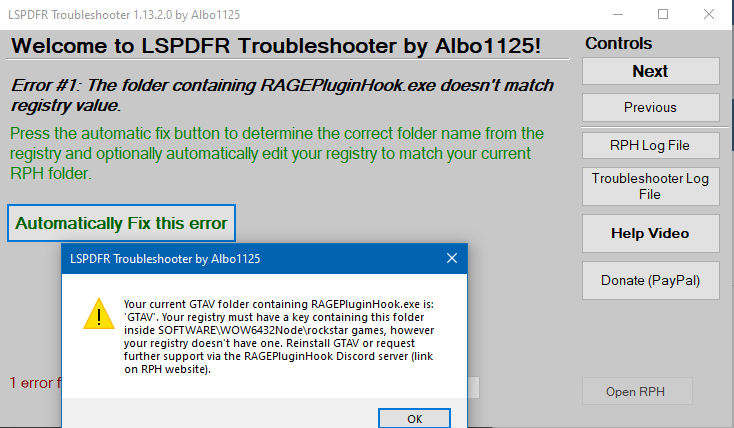
LSPDFR Troubleshooter gives me this error. Is it because of my fairly constant crashes? I have the epic version of the game. I will leave you the log files that the tool created for me. Then I have another problem with Siren Mastery. I think it's working because the way sirens are handled has changed, I also use ELS, but nothing appears on the screen when I enter the car. The Config.ini file is set correctly: ShowUIWhenEnteringVehicle=true LSPDFRTroubleshooterByAlbo125.log RagePluginHook.log
-
CrashReport.zip
-
I have been trying for a while it seems to give no problems. I'il try it for a while, then i'il update topic tomorrow.
-
RagePluginHook.log
-
Hi I have problems with Lspdfr or with RagePluginHook. In practice, the game was crassing me continuously until I saw other topics where you advised to change: Max events for ambient spawns to 0, I changed the timeout threshold 60000 and I disabled Main.PreloadAllModel. I also updated everything including LSFPDR with zip. I've done all. And it didn't crash for a while and I thought it was fixed, while after a while I start a game and it crashes after a few minutes, I tried to activate the sirens and it crashed. I have the Epic Games version. This is my CrashReport. CrashReport.zip
