ThroatTart23
Members
-
Joined
-
Last visited
Everything posted by ThroatTart23
-
thanks my games working again!
-
I deleted all the car files out of open iv that didn't work so i uninstalled Gta then reinstall and put new car pack in that didn't work either lol. So do what now? Where does game config xml go
-
I tried to put in a replace car pack in my game but ig i didn't do it right, now once i start RPH the game starts like normal until it asks me to pick one of the options in the bottom right corner, when i do it crashes.
-
ok thank you
-
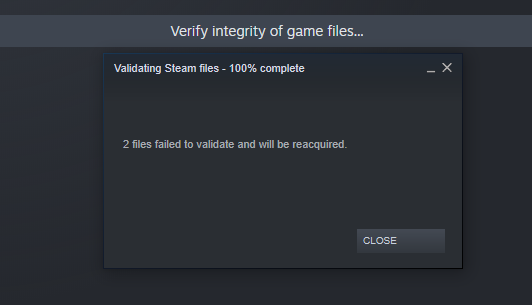
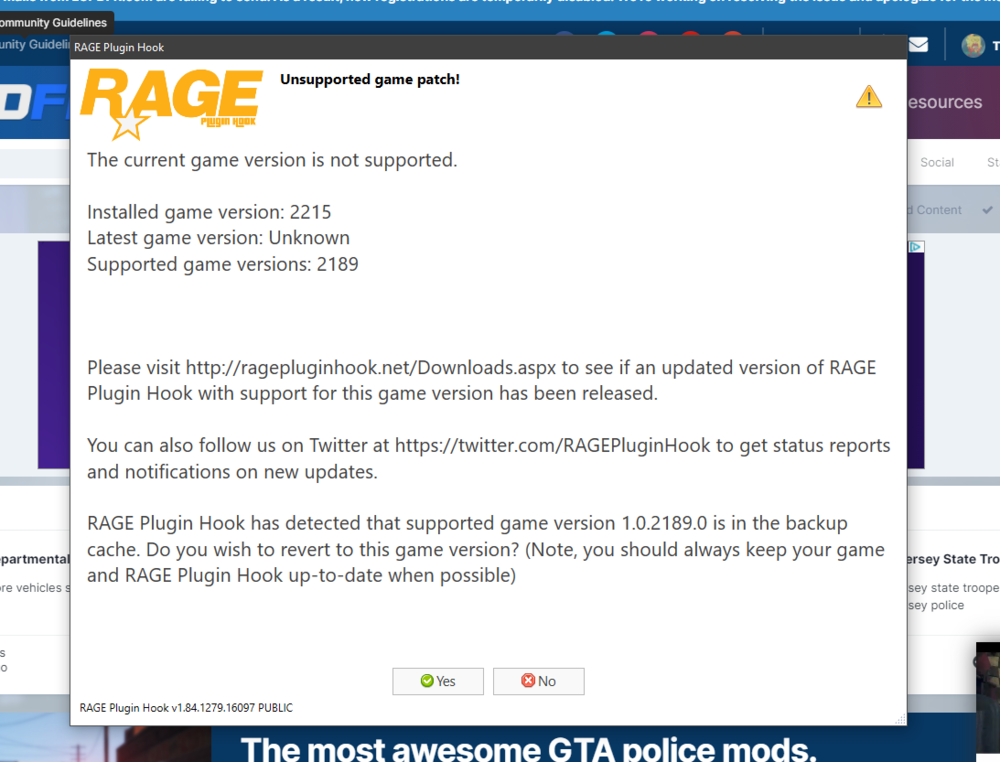
I did the verify of the games files in steam thenj i got this message. then when i tried to open the game i got this message should i hit yes or no
-
ok
-
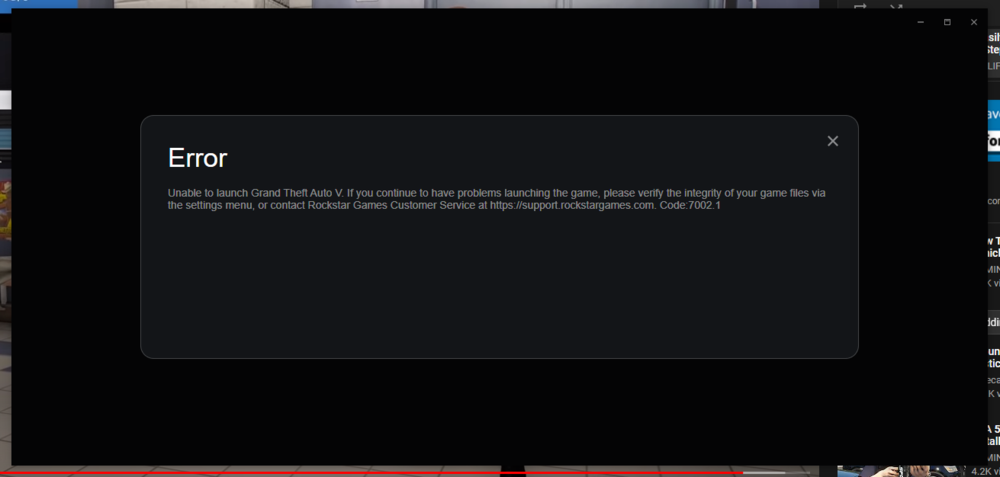
i uninstall everything the whole lspdfr i then reinstalled it now this message pops up not allowing me to enter game
-
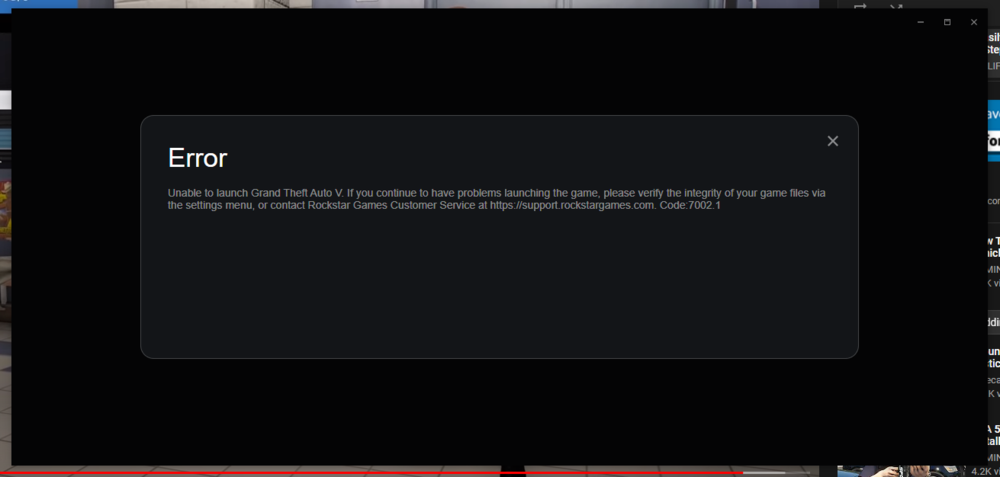
When i try to open rph through my gta 5 directory it starts to open then gives me the error message below. I have already went to steam and did the integrity of game files.
-
ok I reverted all the handling lines in vehicles.meta I installed a random car but it wasn't in the game. should I try to uninstall plugins?
-
ok
-
i changed some handling lines for some cars
-
When i go to open iv and try to go to my vehicles the list of patchdays are missing. I got into gta but now i cant install cars ok i found the patchdays at mods/_mods/_mods/update/64/dlcpacks/patchday20ng/dlc.rpf/64/levels/gta5/vehicles.rpf when i open my vehicles are not there and the original ones are there. In open iv my downloaded cars are there.
-
Thank you that worked!
-
I am new to lspdfr and I've been playing with no problems but yesterday I loaded up the game and about a minute into the loading process it crashes every time. Any ideas on what I should do?