


AnnexHD
Members
-
Joined
-
Last visited
Everything posted by AnnexHD
-
Well I have narrowed it down to my DLC cars... However I don't know why this would be an issue because they were working fine just before the gta v update lol
-
Okay that got the game to actually play and not crash. However, now Rage plugin hook will not hook the game and wont run. Do you think it has to do something with the eup vest and earpieces or the dlc car lists? The dlc cars were already installed before all this was happening, but I had to type them into the DLC.xml file for the game to recognize that they are there.
-
I have RAGE set where it does not load any plugins at startup and also disables a custom loading screen. The crashes started happening when I installed new vests from eup vest and earpieces and a few DLC car packs. I have tried everything that I have read on other threads and nothing is helping. I just don't understand how to read a crash report so if someone could possibly point me in the right direction on how to fix this issue that would be very appreciated. Thanks in advance! RAGE Crash Report.txt
-
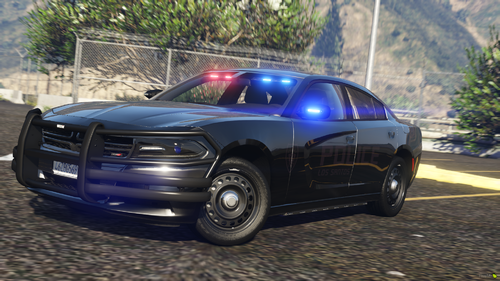 if you could do this as ELS that would be fire
