lettingzachgo
Members
-
Joined
-
Last visited
Everything posted by lettingzachgo
-
I've tried reinstalling the game, deleting old mods, changing game config, updated everything. The game will crash anywhere from before fully loading or sometimes after going on duty, or even just a few minutes of driving around before going on duty. Sometimes when it crashes it'll say its due to bad graphics, but my graphics are all up to date, and not over capacity. its all "optimized" according to Nvidia and the graphics menu. I've attached the lates RPH log. Hopefully someone can help or notice something I'm missing! Thank you! RagePluginHook.log
-
Title says it all, i've tried all the standard trouble shooting methods. Perhaps someone can see something in the log that I'm overlooking? RagePluginHook.log
-
After installing the latest updates for LSPDFR, RPH, and ScriptHookV. RPH just crashes before even loading the game. I've done all the standard checks and troubleshoots and nothing seems to fix it. Any suggestions? RagePluginHook.log
-
*FOUND ISSUE* Siren Setting Adjuster was causing the crashes.
-
Haven't been able to load into the game since the update. RagePluginHook_28062024_215158.log
-
After about 5 minutes, the game just randomly crashes. regardless of duty status. RagePluginHook.log
-
@unitedOrange66 So i just tried all that, and sadly the game is still crashing after going on duty, then trying to exit a police vehicle. although at least now it doesn't freeze my entire compute when the game crashes. I'm attaching my latest RAGE log RagePluginHook.log
-
Not quite sure what is causing this, hoping someone can help! RagePluginHook.log
-
-
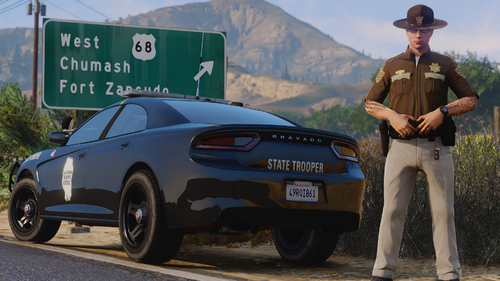 Very happy to see a lore-friendly SAHP pack that isn't California inspired!
 -
So far I've had to delete a few packs. like JMsahp, and a few other his other packs. Even trying to re-download them will cause a crash. Its very strange
-
Yes, I did install those also, those are always the first things I make sure to download whenever I do a new install on everything haha
-
I can't seem to get past the "populating game world" part of the startup. Game will load if I disable the mods folder. I've tried reinstalling a custom gameconfig and made sure I had all the requirements also installed. I recently upgraded toa new laptop. All the mods and everything still work on my old one, so I'm not sure why it isn't working on the new one. Any help/advice is greatly appreciated. RagePluginHook.log
-
RagePluginHook.log
-
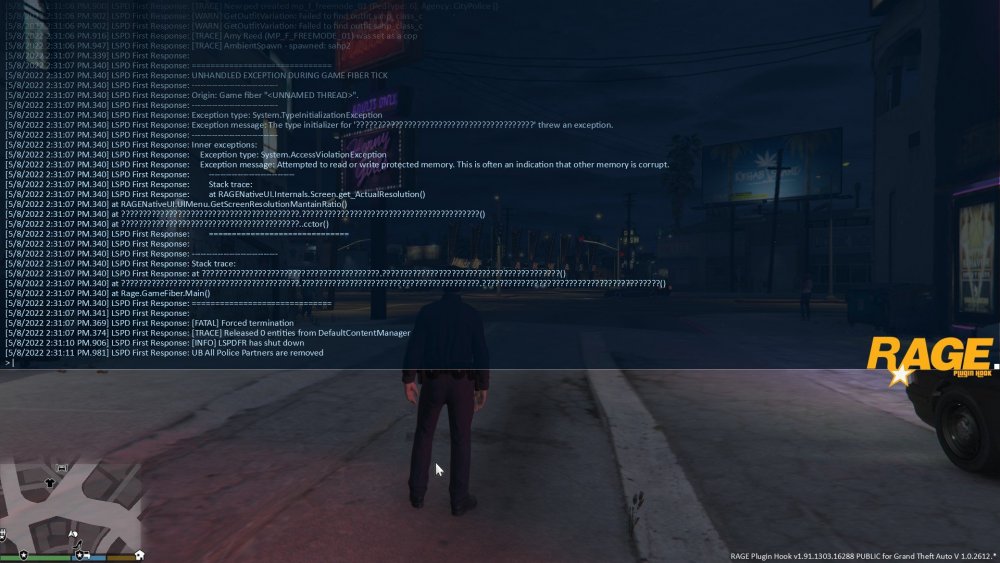
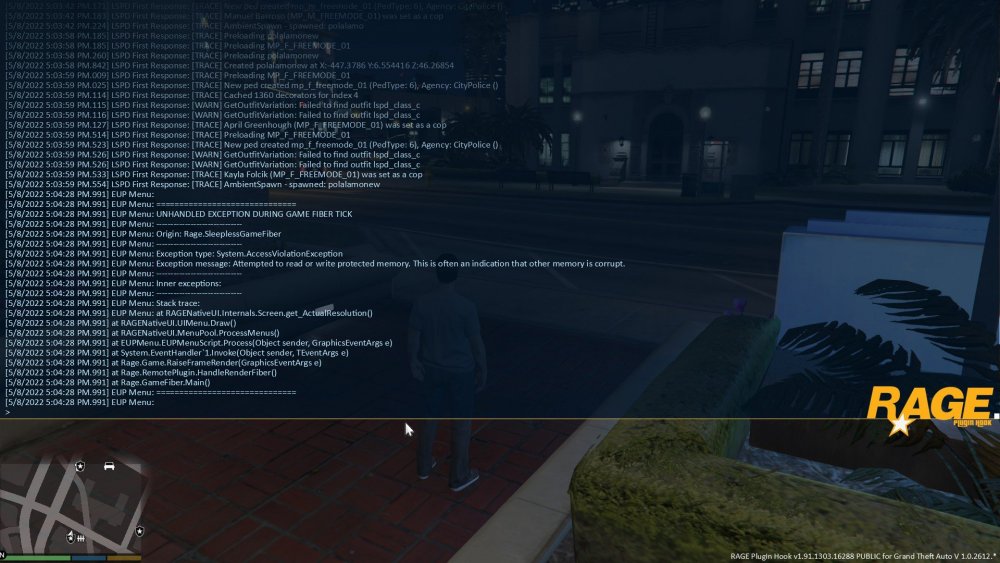
the menu worked until going on duty and trying to change my shoes. RagePluginHook_08052022_215428.log
-
I've tried reinstalling the menu, the law and order and search and rescue ovi files, installing the latest RageNative files. Nothing seems to be working. RagePluginHook_07052022_201219.log
-
I'm having the same problem. I've reinstalled the game. re installed all the heap adjusters, pack limit adjusters, and game config. I've even tried making a new mods folder and then re downloading the mods into it. and still not able to get it to work. I'm only able to launch the game when I disable the mods folder.
-
I'm having the same problem. I've reinstalled the game. re installed all the heap adjusters, pack limit adjusters, and game config. I've even tried making a new mods folder and then re downloading the mods into it. and still not able to get it to work. I'm only able to launch the game when I disable the mods folder.
-
I just noticed that when you hit "restore last outfit" while selecting an outfit after going on duty, it brings up two menus at the same time. Both restore options are the same key. I wonder if the key is causing the error? Doesn't really explain the apartment crash though.
-
I'm having this same issue as well. I find that it will crash every time I hit the "restore last mods" button. Other times it will randomly crash while scrolling through vehicles or when selecting a vehicle. I've had this issue and the apartment crash issue happen separately in the past. But was able to fix it by re-loading game configs and heap adjusters. Since updating the game, I've had both the garage and apartment crashes issue concurrently, and none of my previous trouble shooting methods seem to fix it.
-
I too am stuck in the infinite loading screen on startup.