



.png.3e789278444ddc8a39973d58a60e1bc3.png)
Steve1lol
Members
-
Joined
-
Last visited
Everything posted by Steve1lol
-
they dont cause me any trouble though, they work fine. LSPDFR still crashes when I try to call for SWAT and EMS with them on RagePluginHook.log
-
Sorry for the late reply, I was asleep, here is the log file. RagePluginHook.log
-
Didnt work, Still the same.
-
Hi, I had this issue before, but now its getting very serious, to the point of my game randomly crashing sometimes. I left my log file, Pls help. RagePluginHook.log
-
Hi, I have this problem too, and its most likely being caused by EUP, since one of my friends has no issues with this and he doesnt have EUP.
-
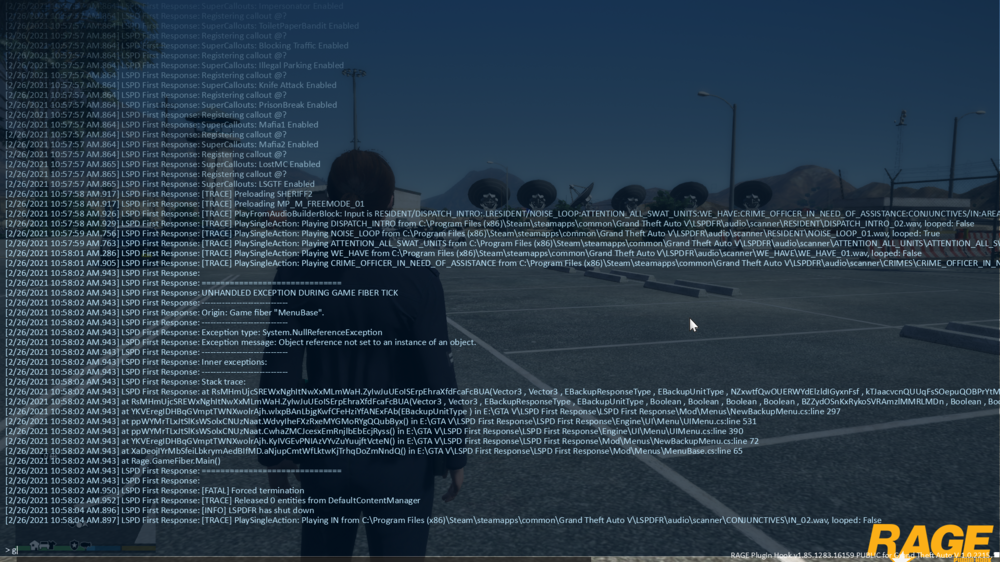
My LSPDFR constantly crashes when I try to Call NOOSE SWAT, EMS and Fire, Patrol Units and Helicopters work fine though, I tried everything I can. Please Help. I have put an Rage plugin command console image. Please help me, Thanks. (Just noticed, Local SWAT on the city will also make the game crash too.)
.thumb.png.1d5d3255dff65facdea17a1618823dd0.png)

