


ArcticWolf321
Members
-
Joined
-
Last visited
Everything posted by ArcticWolf321
-
That worked. I thought by "Components parameter can be more than one" meant that I could have two weapons. Thanks a ton!
-
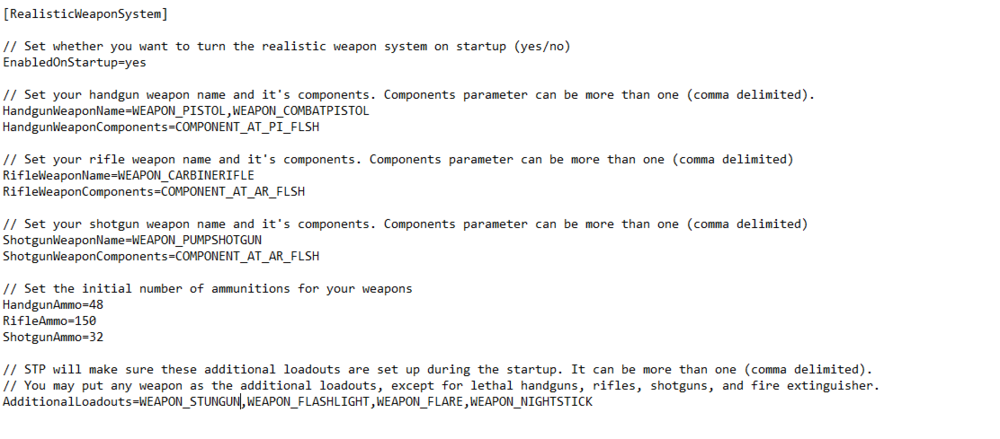
I've tried but it is already set so I shouldn't be spawning with a shotgun. I only have it set so the pump shotgun should be the shotgun I'm able to get out of the car, yet it still spawns on me. Here is a picture of my .ini
-
I've played with Stop the Ped in the past and it worked fine but when I downloaded it recently, every time I go in game and choose my loadout, I only have a shotgun and stungun. I don't want to disable the realistic weapon system, I just want to know if there is a way to stop me from spawning with the shotgun when I load in and also have my pistol.
-
Hey guys, i'm kinda new to LSPDFR. I was wondering if there are any plugins/callouts based around arrest warrants? I like showing up to serve the warrant but the callouts that I do have, repeat the same locations and events. I found this one which looks really promising but sadly it's not up to date.

