
FritoQC
Members
-
Joined
-
Last visited
Everything posted by FritoQC
-
 Your mouse will get free and cursor will spawn then you will be able to click and drag the radar itself !
 -
I wanted to but since there's already multiple of the DSR 2X out there I figured out I should go for an older model to bring some changes :) This was the EARLY PROTOTYPE. Might make it if this one is popular enough
-
Stalker Dual SL Radar Demo Bring the Stalker Dual SL police radar to LSPDFR and RPH with an authentic recreation designed for immersive traffic enforcement. Inspired by the real radar unit used by law enforcement agencies, this plugin delivers realistic speed tracking, Doppler audio, and a faithful display. Whether you're running highway patrol, city traffic enforcement the Stalker Dual SL Radar adds a new level of realism to every speed enforcement operations. Might fail AV check due to font injecting into the game instance (Font used for the speed displays) Features Stalker Dual SL inspired interface Patrol, target and Fast speed displays Same Direction and Opposite Direction tracking Doppler audio simulation MPH and KPH support Customizable keybinds Adjustable HUD position 7-segment digital display font Controls Toggle HUD: F9 (Hold to move the hud around) Power Radar : F10 Lock / Unlock Speed : NumPad9 Toggle Doppler Audio : Scroll Lock All keybinds can be changed in the configuration file at plugins/StalkerDualSL/StalkerDualSL.ini Configuration Customize nearly every aspect of the radar: Speed Units (MPH / KMH) Detection Range Scan Refresh Rate HUD Position HUD Scale Doppler Volume Audio Settings Keybinds Direction Modes Installation 1. Download the latest release. 2. Extract the archive. 3. Copy the contents into your GTA V directory. 6. Activate the radar using the configured power key. Planned Features Better doppler audio simulation Automatic lock after threshold Integration with LSPDFR Credits Developer: FritoQC The Stalker Dual SL Radar was built with a strong focus on realism while remaining simple to use and highly configurable for every patrol style. Thank you for downloading Stalker Dual SL Radar! If you encounter any issues or have suggestions for future updates, feel free to leave a comment or join the discord server https://discord.gg/humWVheRhu.
-
-
 Low jack car ? But for sure will add heli callout, maybe tracking a suspect
- 24 comments
- 4 reviews
-
- lspdfr callout
- rph
- lore
- non-lore
-
Tagged with:
-
-
ahah yea it's on and off dev but I plan on making it a big pack. If you have any suggestion please let me know here or on github
- 24 comments
- 4 reviews
-
-

- 1
-
-
- lspdfr callout
- rph
- lore
- non-lore
-
Tagged with:
-
-
-
Nice suggestion, I will implement that in later release.
- 24 comments
- 4 reviews
-
-

-

- 2
-
-
- lspdfr callout
- rph
- lore
- non-lore
-
Tagged with:
-
I pressed the enter key while checking out stuff and now I posted by accident stop the ped.zip, Is there a way to go back ?
-
-
 What car is that ?
 -
Thank you for the comment ! My goal of this plugin is to make to it entertaining and fun !
- 24 comments
- 4 reviews
-
- lspdfr callout
- rph
- lore
- non-lore
-
Tagged with:
-
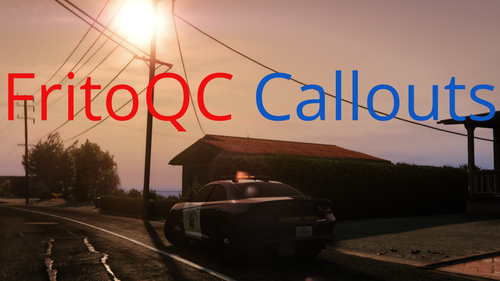
FritoQC CalloutsDo you want to contribute to the project? Help with the development on GitHub! Available Callouts: Street fighting Gunshots reported Hit and run Intoxicated individual Panic button Planned callouts: Robbery in progress Heli requesting backup Known bugs: Street fighting: Dispatch reports incorrect crime via the radio Errors in the RPH log, especially unplanned-for exceptions, mention FirtosCallouts RAGENativeUI.dll (version 1.9.3 - the latest) is included despite the pack not having a menu Please leave me feedback in the comments; it helps me! If you enjoy my content and want to support me, consider donating through my PayPal link. Your support helps me stay motivated to keep creating more!
- 24 comments
- 4 reviews
-
-
-
- 12
-
-
- lspdfr callout
- rph
- lore
- non-lore
-
Tagged with: