


MythicalMonkey
Members
-
Joined
-
Last visited
Everything posted by MythicalMonkey
-
 So glad that the waves and the map bug is fixed!
 -
Not sure why this is but you can use TeleportToWaypoint in the RAGE console to teleport to your selected waypoint on the map.
-
Post your RPH log from the GTA V directory, it might have more information than the Windows crash log.
-
ntdll.dll errors could be due to a number of things. Have you checked the Windows Event Viewer? It might be worth posting the whole log, too.
-
Yup, do the same now for STP. It too has been updated recently to include a Localization.ini file. Without wishing to be rude, you mentioned having to wait a week for support but did you try to read the log yourself? The error states 'file not found'. Personally my first action before even asking on the forum would be to work out why that's the case - and it's probably a simple case of adding a file that may have been missed during an installation or update.
-
You're lucky to get any assistance with a title like that. Have you installed CompuLite correctly? This line in your log suggests otherwise: In particular, check that Localization.ini is in plugins/lspdfr/CompuLite as it was not included in previous versions.
-
-
 Having an issue with these callouts. While responding, the route and destination randomly disappear from the map but there is nothing to suggest that the call has ended.
- 109 comments
- 12 reviews
-
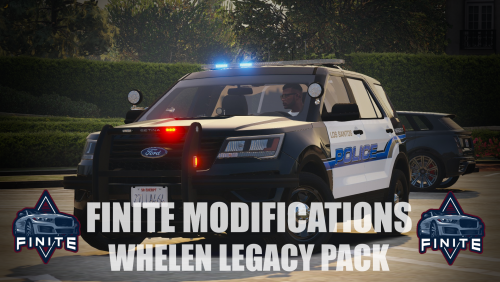 Attention to detail is fantastic and the all the lights are stunning, not just the lightbar.
- 42 comments
- 4 reviews
-
-
That's a good point - I had to re-install them at one point (can't remember why) and have done it since. As for the slashes, I've never experienced that. That can be fixed by find and replace if needed. Updated with the above points.
-
.thumb.jpg.37cdb54de83d6dee03b6b15e76b2f5fd.jpg) Just had a similar crash with the 'Stolen Hardware' callout. Stopped the car and arrested the suspect using Ultimate Backup's felony stop. Tried to end the callout but didn't realise that there was more dialogue to come and LSPDFR crashed when I searched the car using STP and it displayed the message about an assault rifle being found.
Just had a similar crash with the 'Stolen Hardware' callout. Stopped the car and arrested the suspect using Ultimate Backup's felony stop. Tried to end the callout but didn't realise that there was more dialogue to come and LSPDFR crashed when I searched the car using STP and it displayed the message about an assault rifle being found.- 184 comments
- 24 reviews
-
Just had the Bait Car callout for the first time and experienced a crash. It's a good idea but a little confusing. Once I'd dropped the car off there was no prompt until I eventually pressed Y not knowing what to do next. Once someone the suspect was arrested using STP, I couldn't end the callout and LSPDFR crashed.
- 184 comments
- 24 reviews
-
That's the one. It still looks like an outdated version of Script Hook is being used. Make sure you download this one and install it correctly: http://www.dev-c.com/gtav/scripthookv/
-
You can do it in File Explorer. OpenIV is only needed to access '.rpf' files. Can you post your ScriptHookV log? It should be in your GTA V folder. The log you have shared is from November 2020, there should be a new log generated every time you run RPH. Is this the one in your GTA directory? That will be your most recent. Otherwise check your Logs folder in the GTA directory and look for the most recent.
-
That's odd. You should be able to see the log each time it runs. The error message you get is caused when Script Hook V is not compatible with the GTA version, most commonly when GTA is updated but Script Hook is not. The latest Script Hook is compatible, so I can't see why you would be getting that message if you have the latest versions installed. Try renaming your mods folder to '_mods' and launch the game again.
-
Could you try to launch RPH again and post a new log?
-
Just to check, have you already installed the latest version of Script Hook V and RPH? The best way to check your GTA version is through GTA5.exe > Properties > Details. Anything other than 1.0.2245.0 means that it hasn't been updated correctly.
-
You may find this useful:
-
Your callouts will not change depending on the uniform or vehicle. You could try a mod such as FBI Callouts: The RagePluginHook console commands can be found by typing 'Help' in the console (F4).
-
Not sure I understand the question. Do you want the new vehicle to replace the interceptor and bison?
-
Have you updated update.rpf using OpenIV?
-
The problem is that too many people want a personal assistant to help with their problems. I've only been modding and using LSPDFR for a year and find that 99% of problems are known issues that have been experienced by others and that they have already been solved on various forums. There is always a 1% chance that a problem is unique or unanswered, especially with plugins always changing and of course the never ending updates to GTA.
-
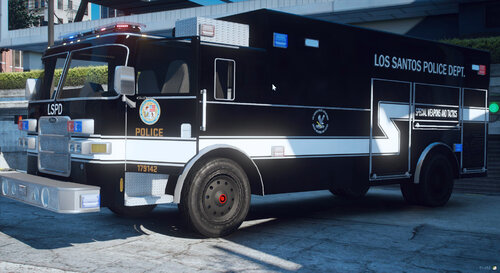 The various extras for the light bar is a great idea but sometimes AI units respond without any extra and thus no lights. I've added the following to the CVPI, FPIU and Charger's vehicles.meta entries: <requiredExtras>EXTRA_8</requiredExtras>
- 36 comments
- 4 reviews
-
-

- 1
-
-
Best non-ELS LAPD-based pack available, IMO. The attention to detail is incredible and the cars are stunning. Really enjoy using this alongside your CHP pack - just need a Riverside County Sheriff based BCSO pack to complete the collection 😉
- 36 comments
- 4 reviews
-
-
- 1
-


.thumb.jpg.37cdb54de83d6dee03b6b15e76b2f5fd.jpg)
