


Loopster
Members
-
Joined
-
Last visited
Everything posted by Loopster
-
Update!!! Got it working I missed the bit about applying permissions to the entire folder aswell as the GTAV.exe for my local user, did that and its straight in, thanks for your assistance
-
Think its just another way but followed that guide and same story. So I installed GTA V fresh, and also on the laptop and its doing the same as pc, really weird why i'm having so much difficulty but thanks for your assistance
-
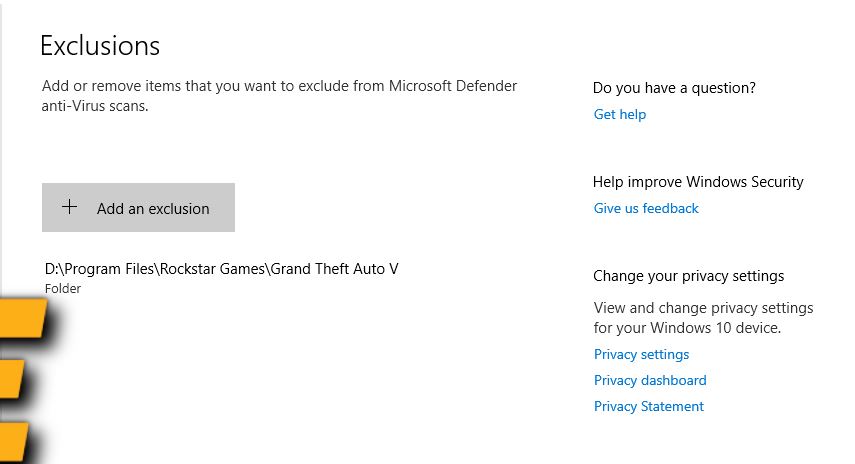
I've also disabled it fully and still Rage crashes and kills the GTAV
-
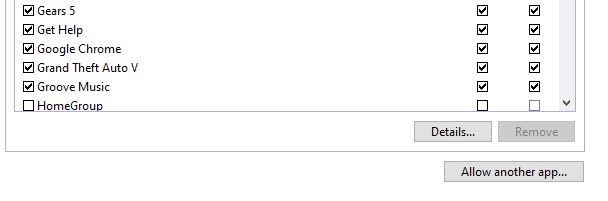
Just checked it was already ticked for private networks, i also ticked the box for public but still does the same
-
Also wondering why its not creating a log file in the directory?
-
So this is what I have tried, after installing LSPDFR using the exe file, tried manual overwrite files, same with ragehook, also added the exception to the gta folder and gtav.exe. Tried disabling the AV completely still does the same, added the permissions to the local account on gtav.exe I recently got a new laptop so had wiped old one to sell, i've already reset that to clean install of windows which doesnt have any 3rd party av installed so i'm downloading it onto that to give it a go on there

-
I have yes that was the first thing I tried when reading the guide
-
Thanks followed that guide and still does the same, not to worry
-
Hi, I'm trying to get this working for my son, having some issues. I have done a fresh install of GTA V which is through the rockstar launcher. Installed lspdfr_048_7688_setup.exe and it said it successfully installed. I also updated the rageplugin hook to the latest version, as soon as I launch the rageplugin hook after starting GTA V it crashes GTA V to desktop. I can run GTA V fine by itself. Any tips as to where to start? Its odd as its doing the same on his pc and mine which are totally different specs but got some message about slow system or insufficient privelages Also cant seem to find any log file??

