


BismarckDude
Members
-
Joined
-
Last visited
Everything posted by BismarckDude
-
Don't worry, you picked the right man :D. I'm a Windows Insider with years of Windows experience. If you want me to help, just say so 😄 Btw, Joined your discord! 🙂
-
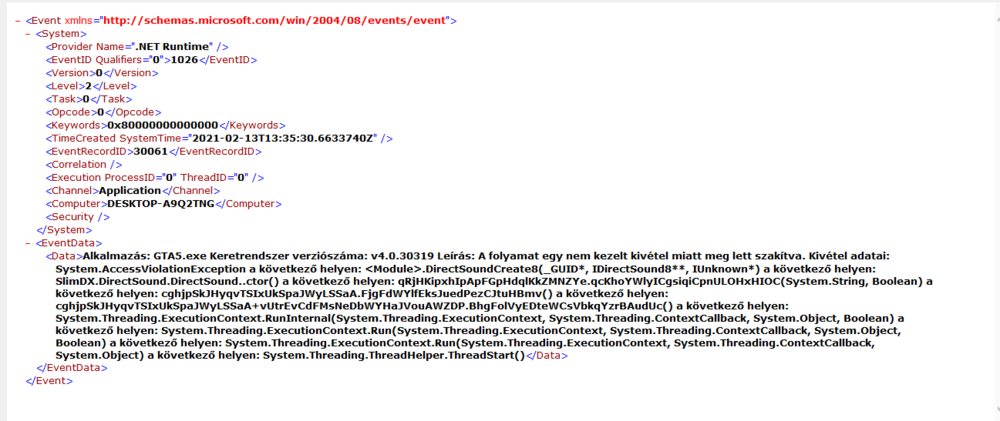
Yes, It's from Event Viewer. I attached the full view.
-
Only found this. Forgot to mention: My Windows is Hungarian, "a következő helyen" means: At the location:
-
I have a reshade preset and that's all. Apart from that, Yes, It's fully clean.
-
The thing is, I don't have a mods folder, and I don't have that dinput DDL file.
-
Hi! So I installed the mod and started to play. Everything was going fine until I stopped a pedestrian in a car, then a crime was reported, and I accepted the mission. The game crashed. The same happened next time, and I made sure to look into the crash report, and I looked for it on the internet, and in the lspdfr.ini file, I edited the line from WorldEvents.MaxNumberOfEvents = 1, to WorldEvents.MaxNumberOfEvents = 0. Went back to the game, loaded the plugin, everything was going fine, until I got in the car, and drove out from the house of Michael. When I drove out to the street, the game crashed again. I attached the file. Crash.txt

