


donkerblauw
Members
-
Joined
-
Last visited
Everything posted by donkerblauw
-
without, so i am reinstalling the gta en lspdfr.
-
Now Gta closes when i try to play the game.
-
I get this message The current game version is not supported. Installed game version: 2245 Latest game version: Unknown Supported game versions: 2372 The installed game version (2245) is not supported. This build of RAGE Plugin Hook is made for version 2372.
-
I only have lspdfr config
-
The issue still persist.
-
Well now i tried that didn't work. Now I played gta 5 as administrator. The game works but my new problem is that my car mods don't appear in the game. I used different patch days but nothing worked
-
-
Well i open TrainerV in the game, type model "bsco" in. And then the trainer can't find a car with that name.
-
Yes, that is something I already did. Loaded lspdfr, press f4 and then spawn En giving in the vehicle name. But I can't find it in that list. I can spawn all cars I want to. But not that add-on that I installed. I tried a lot of names.
-
https://nl.gta5-mods.com/vehicles/2000-ford-crown-victoria-p71-blaine-county-sheriff-s-office I installed this vehicle, watched 2 YT turtorials how to install. It's correct, but when i am in in the game i can't find these cars. Can someone help me please?
-
When I rename my MODS to _MODS and I open my game. I don't get my mods cars.
-
The mods folder in the GTA 5 directory?
-
RagePluginHook.log
-
You are right, I will do it like you said. You are trying to help me and without good info it's hard for you!
-
I did but the moment is started the game it crashed again. So I renamed the file to the original name Is there a possibility that pluggins can cause a crash?
-
RagePluginHook.log
-
Will try this. Still crashes
-
I changed the ini files today, but yesterday the game also crashed.
-
yes an ini file from my pluggins, but before i did that the game crashes. These are my pluggings that i have.
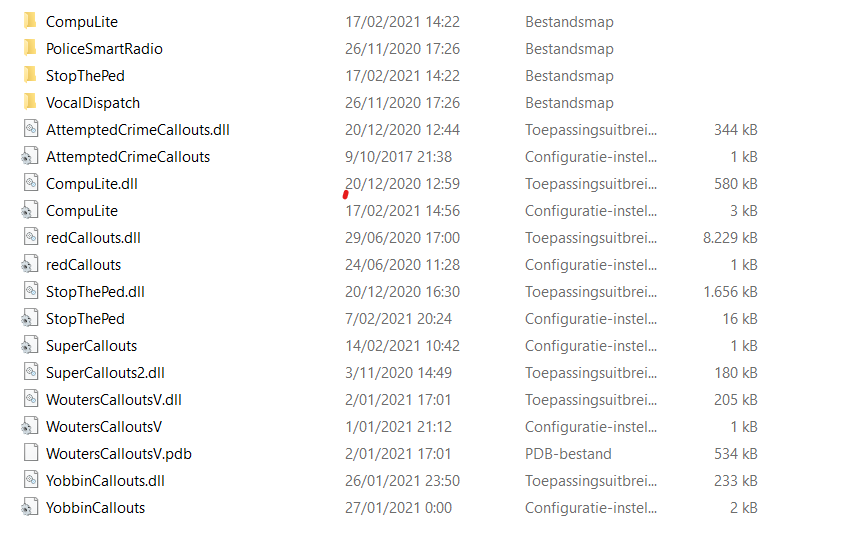
-
RagePluginHook.log
-
Thanks, i can play GTA 5. But my ELS system is not working. Is it because i removede ScriptHookV?
-
This is weird?
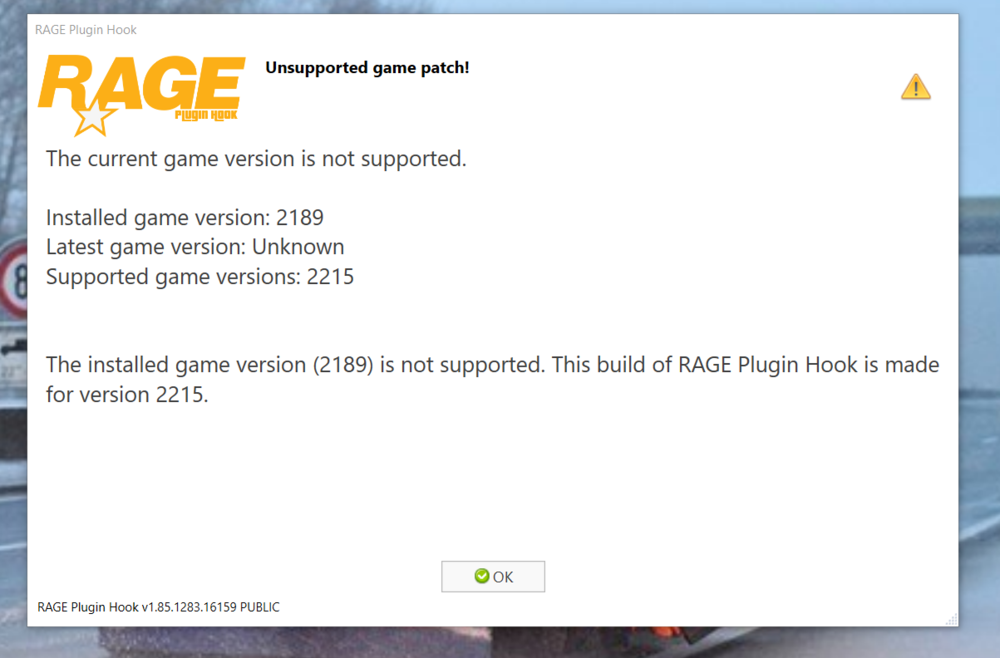 Thanks, I will try thisI need help with downloading it, RAGE Plugin Hook is installed incorrectly. RAGE Plugin Hook must be installed in the game folder. It is currently installed or working in C:\Users\jande\AppData\Local\Temp\Rar$EXa2488.12202. Please reinstall RAGE Plugin Hook in C:\Program Files (x86)\Steam\steamapps\common\Grand Theft Auto V. Do you want to open these folders?

