cobot2013
Members
-
Joined
-
Last visited
Everything posted by cobot2013
-
Oddly it seems to only happen when ELS is installed. I fixed the problem by disabling the "acaronas" for headlights and tail lights... <ACORONAS> <Headlights DfltPattern="0" ColorL="white" ColorR="white" /> <TailLights DfltPattern="0" ColorL="red" ColorR="red" /> <IndicatorsF DfltPattern="0" ColorL="white" ColorR="white" /> <IndicatorsB DfltPattern="0" ColorL="red" ColorR="red" /> <ReverseLights DfltPattern="0" ColorL="white" ColorR="white" /> </ACORONAS>
-
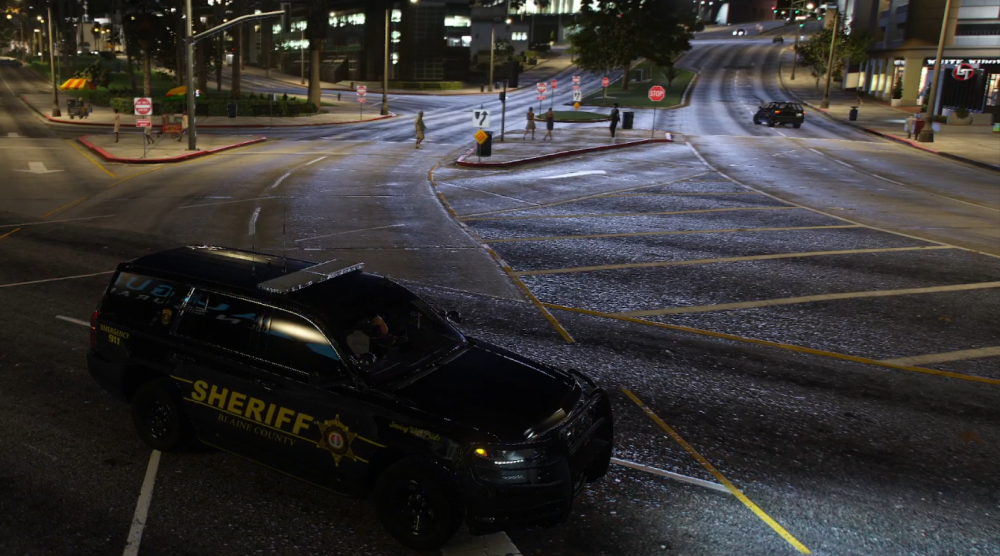
The whole road is illuminated by the police strobe lights. This effect surrounds the police car and is very distracting especially since the red/blue lights generally look good. Any idea why the WHOLE ROAD is reflecting police strobe lights? I have a video that better depicts the extreme strobe reflections, but couldn't figure out how to upload it... :( FYI the police lights are ON full code 3 during the time this picture was taken... red/blue just flashed off the second the picture was taken...