Skip to content
View in the app

A better way to browse. Learn more.

LCPDFR.com

A full-screen app on your home screen with push notifications, badges and more.

To install this app on iOS and iPadOS
  1. Tap the Share icon in Safari
  2. Scroll the menu and tap Add to Home Screen.
  3. Tap Add in the top-right corner.
To install this app on Android
  1. Tap the 3-dot menu (⋮) in the top-right corner of the browser.
  2. Tap Add to Home screen or Install app.
  3. Confirm by tapping Install.

Sgt scotty

Members
  • Joined

  • Last visited

Files posted by Sgt scotty

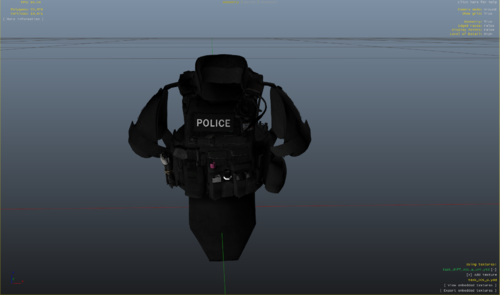
  1. this is my second vest i have made i hope you enjoy please do leave some feedback so i know what i have to improve on next time 
    this vest is only a reskin you will need to download the original vest found in the readme 
    • 448 Downloads
    • 1 Comments
    Updated
  2. this is one of my first vests im a little new to skinning so if its bad then i can improve this vest is simple but looks alright primarily used with a SFO but its your choice hope you enjoy my skin 

    also Please read the readme.txt as it contains the installation and credits section
    • 1,220 Downloads
    • 5 Comments
    Updated

Account

Navigation

Search

Search

Configure browser push notifications

Chrome (Android)
  1. Tap the lock icon next to the address bar.
  2. Tap Permissions → Notifications.
  3. Adjust your preference.
Chrome (Desktop)
  1. Click the padlock icon in the address bar.
  2. Select Site settings.
  3. Find Notifications and adjust your preference.