


Sgt scotty
Members
-
Joined
-
Last visited
Everything posted by Sgt scotty
-
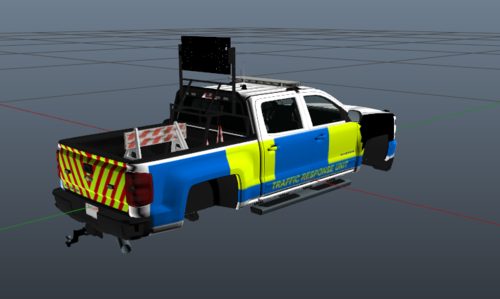 blue and yellow batten burgs are illegal for any vehicle that is not a registered police vehicle, is this fictional?
 -
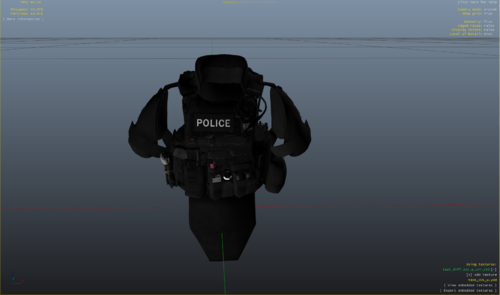 so when you install hanakos vest and earpiece you have to select the right model as there ar 4 different variants i cant remember what number it is but i know that it will say sheriff on it and i think its the only vest with shoulder pads
 -
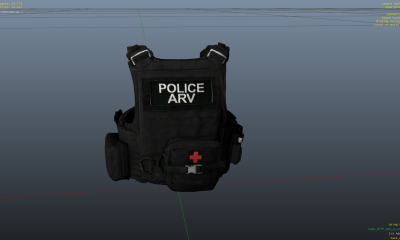 this is my second vest i have made i hope you enjoy please do leave some feedback so i know what i have to improve on next time this vest is only a reskin you will need to download the original vest found in the readme
 -
this is one of my first vests im a little new to skinning so if its bad then i can improve this vest is simple but looks alright primarily used with a SFO but its your choice hope you enjoy my skin also Please read the readme.txt as it contains the installation and credits section
-
 this is the first time ELS has crashed my game and i dont know why i have taken it out and it works but when i put it back in it just crashes my game can anyone help
- 2,685 comments
- 236 reviews
-
 i installed the game correctly i even got my mate to get a second opinion and it crashed my game i coyuldnt even get into the game because of it so i took it out to see if my game would work and it did
- 21 comments
- 6 reviews
-
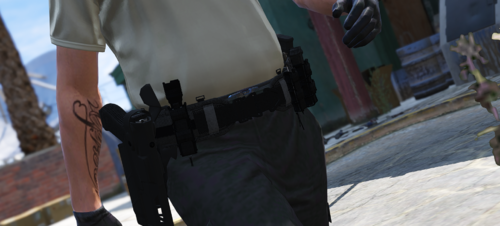 i have installed it twice and i cant seem to find it in game i have use it once before in a rp server and it looked amazing but the fact i cant find it in my game sucks i hope you will edit your readme with a more in depth installation method
- 59 comments
- 7 reviews

