


John_Bryant
Members
-
Joined
-
Last visited
Everything posted by John_Bryant
-
Great to hear! If you need a beta tester for SA I'd be more than happy to assist you. Great to hear! If you need a beta tester for SA I'd be more than happy to assist you.
-
You don't fuck around lol, looks great. Best content I've seen on the site thus far.
-
Looks AMAZING! Too bad it's for IV. Probably the first person to say this, but a talented individual should definitively convert this model to SA as soon as it's done because it would look great! Regardless of the game it's for it looks amazing, keep up the work Brian.
-
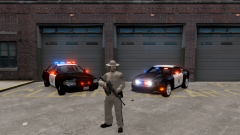 The vic right?
 -
Sorry I was VERY ignorant could someone delete/archive this thread?
-
 Can't wait!!!1
 -
Version: LCPDFR .95 RC1 Issue: Games for Windows Live Redistributable 3 Could anyone help?
-
This application has failed to start because xlive.dll was not found. Re-installing the application may fix this problem.
-
I need Xlive.dll hmm
-
When I right click my game "Run as Administrator" doesn't pop-up, I'm going to hopefully assume that means I'm running as Admin?
-
Before posting a support request please do the following: Make sure you aren't using a crack - We don't support cracks I bought my GTA IV Update GTA IV to 1.0.7.0 (the latest version)(1.1.2.0 for EFLC) - This sometimes fixes a wide variety of issues Updated to 1.0.7.0 (To Confirm would someone mind giving me a 1.0.7.0 Link?) Ensure that FirstResponse.net.dll is in the SCRIPTS folder and that AdvancedHook.dll is in the GTA IV ROOT folder. They're in there respected Folders Ensure that ScriptHook.dll, ScriptHookDotNet.asi and Dsound.dll OR Xlive.dll are in the GTA IV ROOT folder They're in there respected Folders Ensure that there is a folder titled 'LCPDFR' in the SCRIPTS folder. That file is there Check that all the above files exist, if they do not, reinstall LCPDFR with the automatic installation. All above are Done/Correct Ensure that you are using up to date versions of every LCPDFR dependency and LCPDFR itself. Using 0.91 since I cannot get 0.95 Support Install these: http://www.microsoft...9f-b21f31ab88b7, http://www.microsoft...&displaylang=en Already Installed Run a diagnostic report (found here: http://twoninersix.m...Diagnostics.zip) which will point any errors it can find and will be used later on if you need to post a topic. When I went to install and run the Diagnostic Tool, I saw it said "Click Here" so I did, it denied me access to the file?
-
((Double posted sorry))
-
Well I'm getting back into LCPDFR my first day when I first got the game was a bit of a wreck, I ignored all Chases and did everything else :P Over all I liked it alot. I reinstalled it again!! Time to get addicted!
