
uGTuner
Members
-
Joined
-
Last visited
Everything posted by uGTuner
-
 I was able to change it to like F22, and it worked. I wasnt sure but thought I would post anyway. BUT I got it. Love the plugin!
- 417 comments
- 46 reviews
-
I am not sure if this is just me or if anyone else has had this issue but when I exit the plug in, my car SPAZZES. It like jumps and crashes into stuff. Will post a video later but unsure? It may also be my keybinds, what do yall use for keybinds? Mine right now is left control and H. Shouldnt cause anything but may just need to change it
- 417 comments
- 46 reviews
-
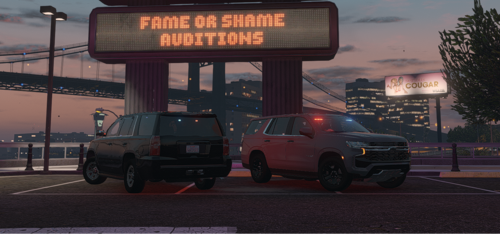 Hey! I have no idea why but the takedowns dont work? I am not massively familiar with DLS so what in the file is takedown? Love the pack tho! nvm got it LMAO
 -
-
-
-
-
 Hey! Idk if its supposed to be like this or what (as idk Durango FHP) but the rear window for Durango fhp is the amber. would have loved to see blue but again idk if its supposed to be like that! If it is then forget this comment lmao
 -
 Changed to nightly / unstable build and its working lmao! In case anyone else comes to bring it up
 -
Im not sure if I am doing anything wrong but, fast draw does not work for me anymore? Did the other day but not today
-
 oh! Shooooot my bad lmao. I looked at the RPH log and thought I saw this. My bad! Haha
- 191 comments
- 7 reviews
-
-

- 1
-
-
14:57 is when I get the callout and cut to me getting up there lmao. Like I said, love the pack. Absolutely amazing pack, just wanted to let you know lmao!
- 191 comments
- 7 reviews
-
-

- 1
-
-
Hey! Loving this pack. I was recording a video and the stolen police vehicle callout came out and the ped was a police officer. Not game breaking or anything but just in case you do come out with an update (due to something breaking or whatever) and you could possibly take a look at it if you wanted. But like i said, love the pack!
- 191 comments
- 7 reviews
-
-
- 1
-
-
 Love the pack! I was just using it and got the High Speed Pursuit callout, when I arrived it was an airplane. It was funny but just wanted to let you know!
 -
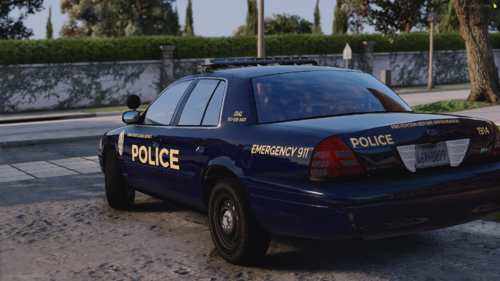 Honestly. I would love to see a 2020 fpiu livery added. But they look amazing! Definitely will have to try them out
 -
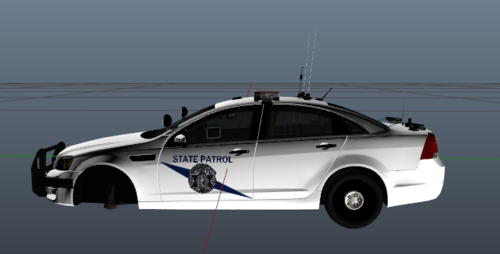 idk if you will see this but, i know this was uploaded years ago, but the caprice doesnt have the file. It is just a screenshot of the car,
 -
-
-
for the last three days, it keeps hard crashing. I did a fresh install of mods, attached is my RPH log. I have these scripts installed Selective Fire Watch Your Death Fast Draw I have these Plug Ins Installed Axon Bodycam EUP Restrain the Deceased Scene Manager Spotlight Damage Tracking Framework Cop Holster Within LSPDFR Plug In Callout Interface Custom Pullover Deadly Weapon Grammar Police HWY Callouts Immersive Callouts Lore Callouts OfficerPorciPlugin Police Menu Prowler Radar Richs Police Enhancement Riskier Traffic Stop Stop the Ped Super Callouts Ultimate Backup **EDIT** It was RGS (Realistic Gun Sounds) I didnt install it properly (OIV is so sensitive lmao) RagePluginHook_30062023_090323.log
-
 I enjoy this callout pack. The actual search part is kind of fun, the only issue is that there is no red dot when finally seen. I had a callout of "Unknown Trouble" and I fortunately found it right away but when I did, the yellow search area stayed. Similar with active shooter. Like I enjoy the searching but I just wish there was a way to be for sure in when I find something.
- 197 comments
- 37 reviews
-
I started playing and it crashed during a pursuit. Ok, whatever. Then I was in the middle of a traffic stop (after completely restarting) and it crashed again! I have no clue what is going on. Attached is the Rage Log RagePluginHook.log *EDIT* I found out there was a graphics card update. Updated that and it didnt crash, thank god lmao
-
 I absolutely LOVE this script and the fact that it keeps getting updated, amazing. One question, is there a possibility of having a notepad added? Just to write down what to charge a suspect with or what they have on them or in their car. Just curious, if this has been asked already, I apologize🙃
- 713 comments
- 33 reviews
-
-
- 1
-
-
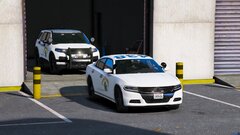 HUH?! Oof I need to find it lmao
 -
I absolutely LOVE this script. This is amazing, only thing I wish was able to press F while typing someones name or something and not getting out of the car. Not sure if you can do something about that but outside of that, love it
- 713 comments
- 33 reviews
-
I hope someone releases a 2020 polar bear FPIU soon because I absolutely want that lmao