Skip to content
View in the app

A better way to browse. Learn more.

LCPDFR.com

A full-screen app on your home screen with push notifications, badges and more.

To install this app on iOS and iPadOS
  1. Tap the Share icon in Safari
  2. Scroll the menu and tap Add to Home Screen.
  3. Tap Add in the top-right corner.
To install this app on Android
  1. Tap the 3-dot menu (⋮) in the top-right corner of the browser.
  2. Tap Add to Home screen or Install app.
  3. Confirm by tapping Install.

ViktorPlebski

Members
  • Joined

  • Last visited

Everything posted by ViktorPlebski

  1. Thank you both for trying to help me, it was indeed the rage native UI that I was missing, thanks yet again for helping me out. Have a great day/evening/night!
  2. I am stupid, I will download and install it, thank you alot sir! Will return with an update soon.
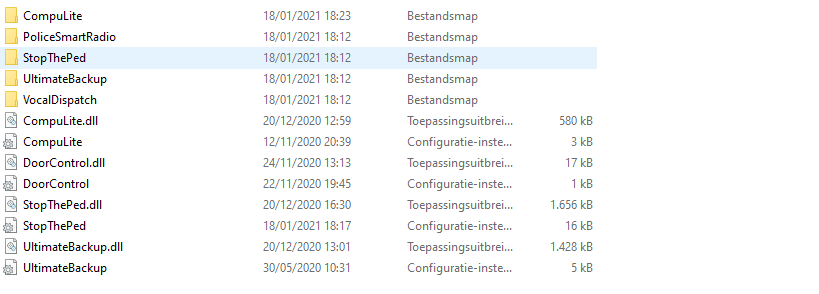
  3. The one above is inside the LSPDFR folder
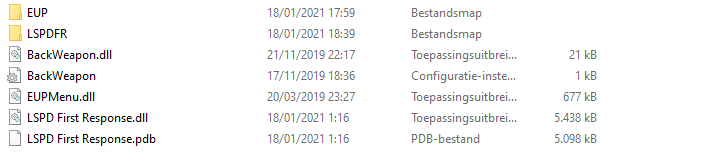
  4. Hello, Whenever I am loading into singleplayer my game crashes, this happend after I installed some mods and I have no clue which one or whatever may be the cause of my problem. Can anybody help? Thank you RagePluginHook_18012021_172144.log

Account

Navigation

Search

Search

Configure browser push notifications

Chrome (Android)
  1. Tap the lock icon next to the address bar.
  2. Tap Permissions → Notifications.
  3. Adjust your preference.
Chrome (Desktop)
  1. Click the padlock icon in the address bar.
  2. Select Site settings.
  3. Find Notifications and adjust your preference.