DankAwesomeSauc
Members
-
Joined
-
Last visited
Everything posted by DankAwesomeSauc
-
LSPD:FR on Patrol - Day 1 - Armed Robbery Hopefully I'll be making more of these in my free time having been inactive for the best part of three years. All feedback is appreciated -- I realise I mumble a lot in this one, I'll be aiming to speak more clearly in the next one!
-
-
-
-
-
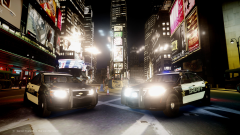
From the album: Awesome Sauce Pictures!
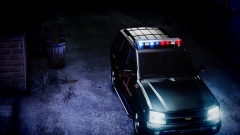
Testing a skin a made on a 2002 Trailblazer for a friend. The car itself is gonna be released in the future. The skin; not so sure. -
Disregard what I said previously, just saw this picture:
-
-
This is the Martin County Sheriff's Office skin that was made by yours truly! This is the first proper skin I've actually made a proper go at making and I've very pleased with the outcome! I spotted the skin of Martin County while I was watching COPS when I was off sick (upper trachea infection, ear infection, sinus infection, etc.) and thought it looked pretty neat! ---------------------------------------------------------- NOTEWORTHY POINTS ---------------------------------------------------------- The only thing particularly noteworthy is the "SHERIFF" on the rear of the CVPI. In the screenshot, the text slightly overlaps the Ford logo, but this should hopefully have been fixed. The texture should work with any type Crown Victoria Model. Any issues, please contact me! Please do not redistribute to any other website without my permission. ---------------------------------------------------------- DIRECTIONS OF INSTALLATION ---------------------------------------------------------- I am using SparkIV to install the skin, so please do not ask me how to install using OpenIV or anything similar. 1. Open the .rar file 2. Extract the "Martin County CVPI" to a location of your choosing. 3. Open SparkIV and go to "GTAIV" --> "pc" --> "models" --> "cdimages" --> "vehicles.img" 4. Go to the .wtd file where you have your CVPI installed, for example "police", "police2", "fbi", etc. and press "Edit" 5. Look along the sidebar on the left and search for a texture similarly named to "police_sign_1" or similar; it should have "sign" in it hopefully (if my knowledge is correct) 6. Go to Import Texture and search for where you extracted the folder. 7. Look for the "martincountycvpi" .png file and open. It should now replace the police sign you replaced. 8. Save and Close. 9. Save and Rebuild. Any issues, please feel free to contact me; I'll be more than happy to help! Steam: 123aidso123 GfWL: Awesome5auce124 And of course the LCPD:FR forums
-
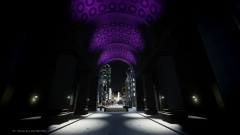
From the album: Awesome Sauce Pictures!
-
Patrolling in Broker-Dukes. Get out of my vehicle to give an AI Civi a ticket for jaywalking. Think to myself, "He's already broken one law, lets see if he's broken any more." Frisks. Stolen credit cards. Awh yush. Arrest him and take him to custody. As I'm leaving the scene. "I need a unit for-- a suspect resisting arrest-- on-- uuuuuuuhhhh-- *street name*" Realise that it's right in front of me and the suspect is stealing a car. Breaks into the car and starts driving away. "Awh, hell no!" Ram my cruiser straight into the stolen vehicle. Leave it to the AI cops.
-
I know it's late, but Merry Christmas xbox7203 http://dictionary.cambridge.org/
- 22 comments
- 3 reviews
-
I think it works for some people, others not so much. I used the automatic installer and followed all the instructions, installed everything, deleted all the old RC2 0.95 files and folders and installed it. All working fine and only crashed once while using it so far. I think it appears to be a select unlucky few. Give it time however; there's probably more updates to come to make it more stable.
-
From the album: Awesome Sauce Pictures!
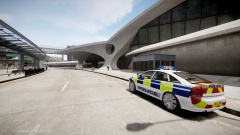
Police Service of Northern Ireland Constables keep a watchful eye on Francis International. PSNI Texture created by callumdelaney: Orginal Model by Double Doppler: Texture edited by myself to look less... yellow... -
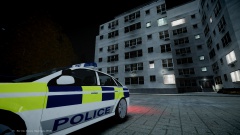
From the album: Awesome Sauce Pictures!
Police Service of Northern Ireland Constables responding to reports of domestic assault in an apartment block on Shinecock Ave. PSNI Texture created by callumdelaney: Orginal Model by Double Doppler: Texture edited by myself to look less... yellow... -
Video I made pretty much instantly as 1.0 was uploaded and released. Wanted to get this up as soon as possible, so the video hasn't been properly editted, however future episodes are to come!
-
Already played about 15 minutes, already seems fantastic! Well worth the 2 year wait! Congratulations to G17 and all the team that worked so hard to make this, it is so worth it!
-
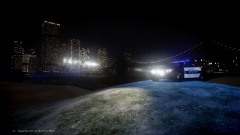 If they don't they do now! Lol! I just wanted something scenic, and I really like this one (one of my favourites :))
 -
From the album: Awesome Sauce Pictures!
-
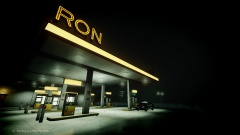
From the album: Awesome Sauce Pictures!
-
Dude that's such an awesome screen capture software you have there! Such high quality! Where can I get it?
- 22 comments
- 3 reviews
-
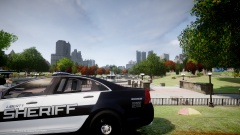
From the album: Awesome Sauce Pictures!
-
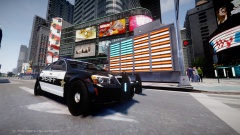
From the album: Awesome Sauce Pictures!
-
I'm more than willing to do it! I'll take one for the team!
-
This is really quite horrific. I mean, the sides of the cars looks pretty decent, but the front of the car really fucking ruins it. I mean, the least you could do was not post at all. In the meantime however, please be sure to check out my gallery with some exquisite displays of photography, as well as reviewing my youtube channel which has some beautiful LCPD:FR videos on there. Lots of love, DankAwesomeSauc <33 xoxo