


AchilleX
Members
-
Joined
-
Last visited
Everything posted by AchilleX
-
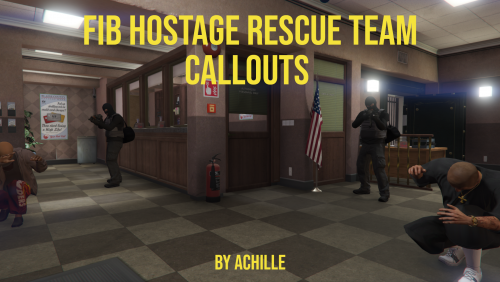 The name of the callouts pack is FIB Hostage Rescue Team 😉
 -
The only Native that actually worked is SET_ALL_LOW_PRIORITY_VEHICLE_GENERATORS_ACTIVE(false).
-
Seems to be working, thanks! Also, for prevent ped spawning I'm trying SET_SCENARIO_PEDS_SPAWN_IN_SPHERE_AREA with the last parameter as 0, but I'm not sure if it is actually doing something 🤔
-
The vehicles that I want to stop spawning are parked, so I don't this would work 😞
-
I need to prevent the spawning of vehicles/peds in certain areas, such as in front of the Paleto Bay bank or in an LSIA hangar, but without completely disable the street traffic.
-
Tried the native ADD_POP_MULTIPLIER_SPHERE with values 0f but nothing happens and if I call DOES_POP_MULTIPLIER_SPHERE_EXIST with the returned id it returns false. I called it in this manner NativeFunction.CallByHash<int>( 0x32C7A7E8C43A1F80, // ADD_POP_MULTIPLIER_SPHERE pos.X, pos.Y, pos.Z, 200f, 0f, 0f, false, false ); Also, I tried every combinations for the last two boolean parameters but still nothing changes. Same thing for ADD_POP_MULTIPLIER_AREA 😞
-
I’m working on a new callout right now 😉. It takes a lot of time to think, develop and debug a callout and with school it’s hard for me.
-
Hi guys, I have never managed to disable the spawn of ambient vehicles (or pets) in a specific zone. I manage to disable the traffic with SET_VEHICLE_POPULATION_BUDGET(0), but it is not the result I want. Any suggestions?
-
Have you even played this callout pack? 😁
-
Something like if (!keyJustPressed && Game.IsKeyDows(Keys.D2)) { Game.LocalPlayer.Character.Inventory.GiveNewWeapon(WeaponHash.StunGun, 1, true); keyJustPressed = true; } else if (!keyJustPressed) keyJustPressed = false; should work. keyJustPressed is a class attribute that prevents executing the if-branch each tick the key is being pressed.
-
I’ll probably add more costumization in the future. You can just do a driveby on them, but I don’t think you would last very long 😁. You can stop the convoy parking in front of the main vehicle.
-
My solution for now is something like this public static void SetOutfit(Ped ped, Outfit outfit) { for (int i = 0; i < 12; i++) { Component? component = outfit.Components[i]; if (component is Component value) { // Set the head back to default if (i == 1 && value.DrawableID != 0) SetHeadBlendData(ped, 0, 0, 0f); ... // Set the component } } ... // Set props } Does not work well for women though 😞
-
Masks are not object nor props. They are a component variation that can be put on calling SET_PED_COMPONENT_VARIATION with componentId=1. I cannot find any native regarding adapting the mask to the face. Similar thing happens with hair (if it's long enough) and mask/hat. I have no idea what Rockstar do in GTAO...
-
Faces are ok 😆, the code for setting them up is something like this int mother = ...; // random female face int father = ...; // random male face float mixing; if (ped.IsMale) mixing = 0.9f - randomFloatBetween0and0.1; else mixing = 0.1f + randomFloatBetween0and0.1; So that women are really women and men are men. I think I have seen worse faces in GTAO 😂. Maybe when you put a mask on in GTAO it calls SET_PED_HEAD_BLEND_DATA to reset the face back to the default?
-
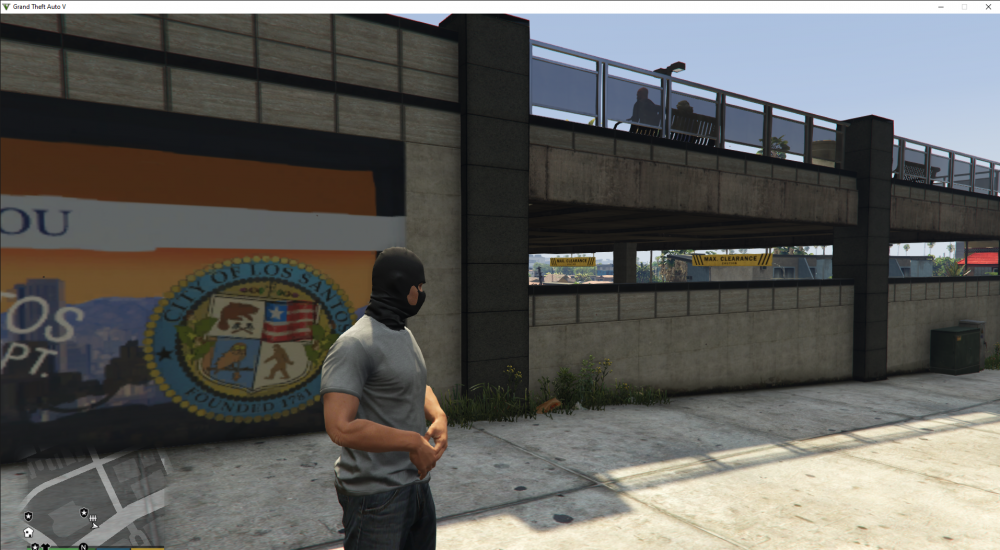
Hi guys. I have a simple function that generates a random face for every ped. It uses SET_PED_HEAD_BLEND_DATA with random mother, father and float for mixing and then calls FINALIZE_HEAD_BLEND. The problem is that if I apply a face mask to this ped (calling Rage.Ped.SetVariation), 80% of the time it compenetrates with his face, obtaining a very bad result. I have never seen something like that happen in GTAO so I think there is something wrong with my approach. Can someone help me? Example:
-
Hi @LMS, sorry to bother you. It has been more than a year since RPH is no longer updated on the website (latest version 1.87) and the most recent version (1.95) only comes with LSPDFR. As this is a non-open source project, it is not possible to collaborate or request certain features, such as the implementation of the hashes of the new weapons or an updated natives.h. So I would like to ask why it has not been made public given the abandonment of the original development team.
-
You should install the whole pack.
-
Yes, if you can spawn it with a trainer with that name, the callout should work also.
-
Exactly. To be precise, you just need any pack that contains a sheriffscout vehicle. Maybe in the next update I’ll remove this dependency 🤔
-
Now the "Bank Robbery" callout should work, I forgot to specify a mod depencency 😑 Regarding "Reposession", is OAI working fine? I have installed my mod (with its dependencies) in a clean GTA 5 folder and everything is working fine.
-
It can happen when you update EUP. What version are you using right now?
-
There is only a single garage that opens automatically when you are near it.
-
Yes, you cannot dodge the stun gun. That’s because you have first to find the van, which is in the yellow area but well hidden; or start the fight with the LostMC. If you try the “stealth way”, you will just fail. You said you found the van but while you were escaping a mission failed screen occurred. That’s why I said “an exception could have been thrown”, but now you’re telling me that you can’t find the van. Don’t you see a yellow area in the minimap when you are in the LostMC Club? That’s a blip.
-
Yes, it is specified by a subtitle and a blip. Seems like an exception occurred or you managed to enter the van when you were not supposed to.
-
Callout manager does not work with Bank Robbery and I do not know why. When is the failed message displayed?



