



Badge#4667
Members
-
Joined
-
Last visited
Everything posted by Badge#4667
-
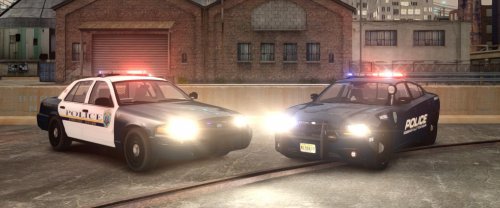 Being from nj these are amazing. Just put them in my game and had to close out and write this because of how amazing really. Not only is the car itself on point, but this is the first charger ive ever downloaded that has the correct brake lights and taillights. 10/10 seriously, be awesome if you added some more cars that they use
- 3 comments
- 3 reviews
-
-

- 2
-
-
Problem solved, thanks for the help and interest Unit607 + matt1008 for the pm attempts
-
 you should probably check out @propel's cpd models then
 -
I checked the launch gta ic properties and the compatability was set to service pack 2 windows xp I thought that was weird (never checked before) so I set to to windows 7 what I run and still notta tried running els nothing, no scripts load either.. does this possibly have something to do with Norton anti virus? never had a issue before though
-
I am on 1.1 now and its still nothing. im not too sure why its doing it, cant even bring up the console (`) in game its like its non existant. started doing this after I installed a vehicle pack but I already backed up and replaced those files.
-
 finally some more jersey cruisers!!!
 -
Good news is the first mod I installed that actually worked was the google maps mod, I tried putting in 1st person and radar script and nothing. asi or scripthook problem? im going thru lcpdfr withdrawl lol
-
it started doing it with1.0d and I tried re doing it and still didn't work so I re installed gta itself and lcpdfr also and it still isn't loading up
-
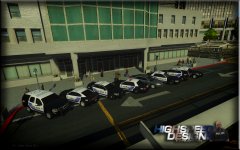 private use, or for a clan?
 -
Wont start up at all. Cannot even bring up the console (typing `) ran the tool and it states everything is there and should work properly and this is the log I got from the tool I had this working for like 3 years and now this lol. SOS !! Diagnostics_5.8.2015_23_41_7.log
-
release?
-
I attempted to download a full vehicle pack and I always back up files. I put in the vehicles and no other mods worked, lcpdfr, first person, trainer, and other misc scripts. I removed the vehicles and put back the old vehicles (pc->models->cdimages->vehicles) and still nothing, even remade a folder and reinstalled all mods and scripts, still nothing. don't even get the menu from the ` button (top left corner) any ideas?
-
Sounds good bud, about to be a cop so I can do realistic ;)
-
-
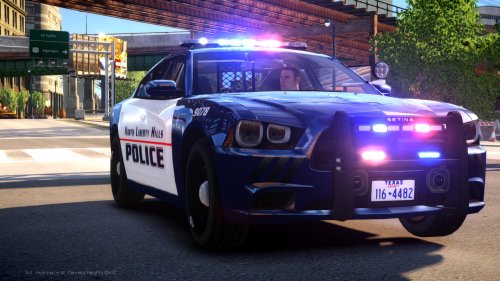 they keep getting better and better, gonna try these later when I can play. hope I can run em
- 48 comments
- 5 reviews
-
pm me, maybe we could get some things figured out for later today?
-
-
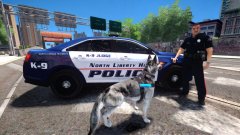 Omg yes another pack? Excited for this
 -
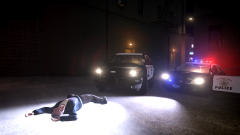 Too drunk..
 -
That's awesome good for you man
-
ok so ive always had this mod (best script mod btw) especially for the spotlight I always used the auto installer but now Norton is being stupid and wont let me I know its not your file so I downloaded the manual install which works but if I plug in the files you included in the pc folder do I still need to edit and add the lines from the install.txt? nevermind. finally tricked Norton into letting me download it the 1,345,674,5678.000th time, literally
- 45 comments
- 23 reviews
-
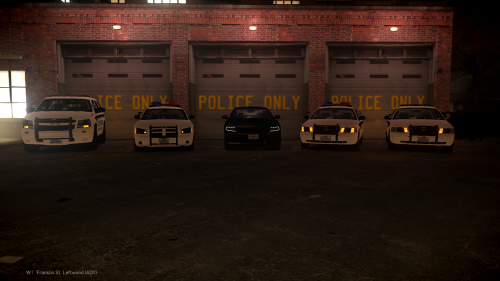 I remember seeing your picture of this wip pack. Cant believe I missed the release, these are amazing. Hope to see some more variety in models
- 6 comments
- 3 reviews
-
bump? pm me if you wanna play
-
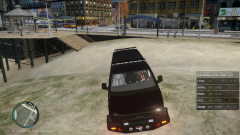 I honestly don't mind that its a little to big it fits the s.w.a.t look with all the pull hooks and tow hook, looks heavy duty ready imo
 -
Too much to drink?

