Skip to content
View in the app

A better way to browse. Learn more.

LCPDFR.com

A full-screen app on your home screen with push notifications, badges and more.

To install this app on iOS and iPadOS
  1. Tap the Share icon in Safari
  2. Scroll the menu and tap Add to Home Screen.
  3. Tap Add in the top-right corner.
To install this app on Android
  1. Tap the 3-dot menu (⋮) in the top-right corner of the browser.
  2. Tap Add to Home screen or Install app.
  3. Confirm by tapping Install.

slendi

Members
  • Joined

  • Last visited

Everything posted by slendi

  1. slendi posted a topic in Legacy
    hello, I have a problem when I go to any interior, My textures, colors, everything glitches. the game works normally until I go to some interior. https://prnt.sc/F7rOYedfpdge https://prnt.sc/4-UuIK4FjMhM https://prnt.sc/V8_WvL-KxBlq PLS HELP
  2. slendi posted a topic in Legacy
    Hello, I have a problem that my sirens in police cars are white, I tried to install the radiance V, unfortunately it didn't help
  3. thanks, the game does not crash anymore
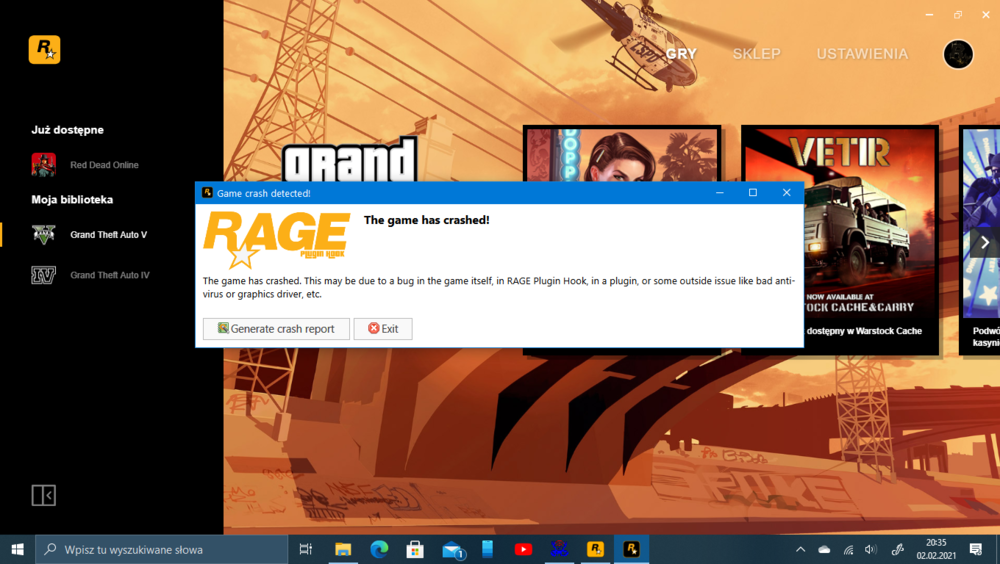
  4. RagePluginHook.log I am attaching RagePluginHook.log Rage Plugin Hook crashes when the game starts Please Help my plugins: EUP Law & Order EUP Serve & Rescue Arrest Manager Computer Plus Highway Callouts LSPDFR+ PerterUCallouts Police Smart Radio Search Warrant Stop The Ped Ultimate Backup Wilderness Callouts Agency Callouts Assorted Callouts AttemptedCrime Callouts AutomaticSirecCutout Better EMS City Callouts Code 3 Callouts Code red callouts Common Callouts Corrupt Callouts High Priority Red Callouts Regular Callouts Repeat Offender Ridiculous Callouts Simple Callouts Station 19 Callouts Tacco highway callouts traffic control traffic policier typical callouts united callouts variety callouts wouters callouts V Yobbin callouts

Account

Navigation

Search

Search

Configure browser push notifications

Chrome (Android)
  1. Tap the lock icon next to the address bar.
  2. Tap Permissions → Notifications.
  3. Adjust your preference.
Chrome (Desktop)
  1. Click the padlock icon in the address bar.
  2. Select Site settings.
  3. Find Notifications and adjust your preference.