


9032AP
Members
-
Joined
-
Last visited
Everything posted by 9032AP
-
.thumb.png.d6eef080444181135920732af81dc3f1.png) Stop spamming the comment lol Btw If that is your model then you did a fairly great job It looks quite cool actually but I still prefer the older Sprinter (313 CDI) Also, it is worth mentioning that you should really change the LED texture on the side and rear, it should be just a housing with one boxy LED instead of two rectangular ones
Stop spamming the comment lol Btw If that is your model then you did a fairly great job It looks quite cool actually but I still prefer the older Sprinter (313 CDI) Also, it is worth mentioning that you should really change the LED texture on the side and rear, it should be just a housing with one boxy LED instead of two rectangular ones -
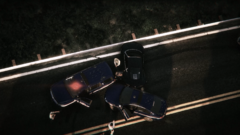
From the album: San Andreas Law Enforcement Assistant Program
-
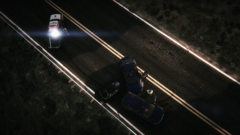
From the album: San Andreas Law Enforcement Assistant Program
-
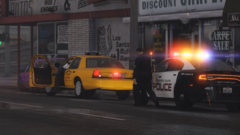
From the album: San Andreas Law Enforcement Assistant Program
-
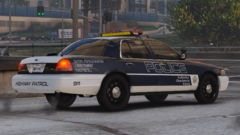
From the album: San Andreas Law Enforcement Assistant Program
-
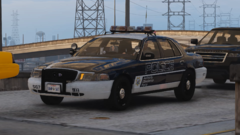
From the album: San Andreas Law Enforcement Assistant Program
-
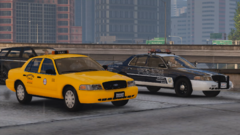
From the album: San Andreas Law Enforcement Assistant Program
Yes, the cab is also a stealth police cruiser... -
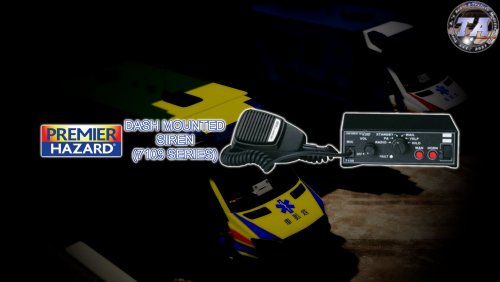 No you can't, this violates copyrights and I never gave you any permission to do so. Listen here, I have already reported your file and you shouldn't steal mods and reupload it even though a "proper credit" is given.
 -
Thanks : )
-
Thank you so much! I really appreciate your comment as it really helped me to identify the siren and it's cool to know some siren manufacturer history : )
-
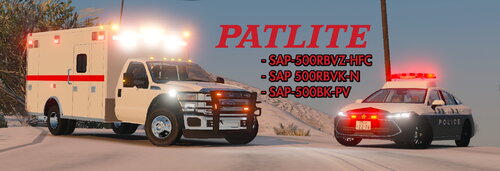 Well, this Japanese siren may sound chill to your ears but their fire departments do have mechanical siren that is similar to Federal Signal Q. Those are manufactured by Osaka Siren Company and it sounds quite aggressive. You may see FD from Tokyo responding to calls with that mechanical siren and electronical horn ring in this video: On the other hand, successor of the PATLITE Corporation SAP500 series, the SAP520 series, has more tones now for different types of situation. For example, it has a much aggressive tone like the "Traffic clear" and "Intersection" tone. Plus, they can always mess around with the manual Wail to clear traffic and gives effective auditory warning signal to pedestrians and other road users with no issues at all. Therefore, I would say it isn't that bad for clearing traffic.
 -
In theory, yes... if you install the siren in your original game file not the mods folder. Note that default GTA5 siren controls does not allow changing tones easily, you probably need ELS or any other FIVEM resource as siren control. If the install does not work as expected, you can also take the tones from the "RAW" folder from my pack and install them to see if there is any other method works for you. P.S. You need archive fix for FIVEM
-
The pack includes a few tones from PATLITE SAP500 series (SAP 500RBVK-N, SAP-500BK-PV & SAP-500RBVZ-HFC), with an additional vehicle horn: -4 second Wail (SAP500BK-PV 4秒サイレン) | used by law enforcement and ambulance -8 second Wail (SAP500BK-PV 8秒サイレン) | used by law enforcement -Slow Yelp (SAP500RBVK-N イエルプ) | seldom used by law enforcement but it does exist -Fast Yelp (SAP500RBVK-N イエルプ) | seldom used by law enforcement but it does exist -Hilo (SAP500RBVK-N ピーポー) | used by ambulance -Harmonic Hilo (SAP500RBVZ-HFC ハーモニック) | used by ambulance when approaching/driving in residential area -Airhorn (SAP500RBVK-N ホーン) | seldom used by law enforcement but it does exist -Car horn (Toyota Camry 07' トヨタカムリのクラクション) | usually, vehicle horn is used as the function of airhorn when approaching an intersetion by law enforcement. As I like the horn of 07' Camry, I decided to grab its horn and included it in the pack. In order to use it like real life setup, you MUST follow the instructions included in the Readme.txt. Disclaimer: -ELS is required for this siren pack to work unless you have a solution to overcome the limit of default GTA5 siren control -Paramedic model of the siren should have a different Wail tone so I have made a mistake... Demo: If you didn't change the ELS configurations for your vehicle, then the following tone would be played: T1: 4 second Wail (SAP500BK-PV 4秒サイレン) T2: Slow Yelp (SAP500RBVK-N イエルプ) T3: Fast Yelp (SAP500RBVK-N イエルプ) T4: Hilo (SAP500RBVK-N ピーポー) AUX: 4 second Wail (SAP500BK-PV 4秒サイレン) HORN: Airhorn (SAP500RBVK-N ホーン) M1: 4 second Wail (SAP500BK-PV 4秒サイレン) M2: Slow Yelp (SAP500RBVK-N イエルプ) Author's note: Once you have downloaded the file, you agreed the following terms by default. -You do not claim copyrights of my files. -You do not reupload any files from the pack in any form to elsewhere -You do not modify my files and release that as your own creation
-
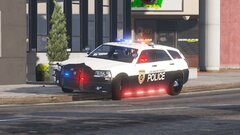
From the album: Cursed skin design
Definitely not Japan NPA related -
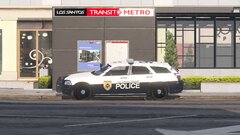
From the album: Cursed skin design
Definitely not Japan NPA related -
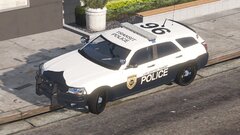
From the album: Cursed skin design
Definitely not Japan NPA related -
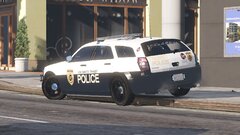
From the album: Cursed skin design
Definitely not Japan NPA related -
So I was searching different siren model and watched demo video of various siren controllers, I found this unknown siren. Wail, yelp and the hyper-yelp sounds just like altered tones from a last-gen Code3 Premier Hazard siren system (e.g. 6000 and 7000 series controllers) Uploader of this video and all the viewer who commented did not know what exactly the siren is named or the manufacturer that made this, as there is nothing for identification like company logo or model number. Does anyone know what this siren is and which manufacturer made it?
-
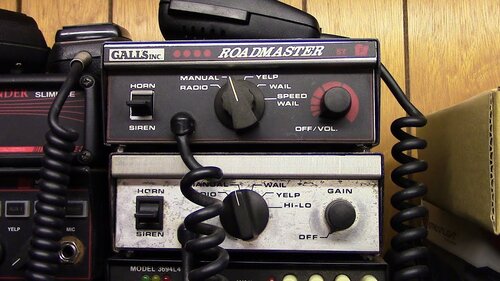 That's true tho but I'm too lazy to film that using Rockstar Editor 😂
 -
Don't thank me for it. Demo should always be included for audio modification anyways. How would people know the mod sounds in-game if there is no demo videos?
-
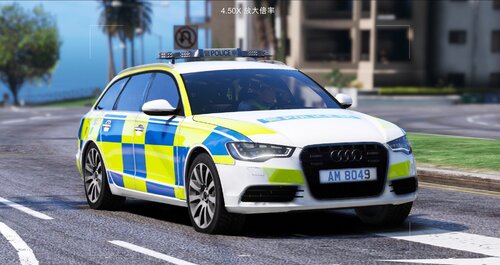 C兄 掂喎 個skin唔錯 btw preview條片係唔係用我個siren? 另外想問香港警察個角色模型係唔係自製,還是有得down?
 -
Tones included: -Wail -Yelp -Priority ("Speed Wail") -Airhorn Demo: Author's note: Once you have downloaded the file, you agreed the following terms by default. -You do not claim copyrights of my files. -You do not reupload any files from the pack in any form to elsewhere-You do not modify my files and release that as your own creation
-
.thumb.png.5ec9999685d325400453a19d809c8f62.png) Very great model, I love the idea to put a high-raiser PATLITE lightbar on it even though it does not raise. It still looks gorgeous. However, the model does not have a working trunk. This vehicle also lacks a template so people cannot make a skin for it. I hope you can at least give us the body template of the model.
Very great model, I love the idea to put a high-raiser PATLITE lightbar on it even though it does not raise. It still looks gorgeous. However, the model does not have a working trunk. This vehicle also lacks a template so people cannot make a skin for it. I hope you can at least give us the body template of the model.- 2 comments
- 1 review
-
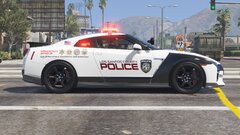
From the album: Cursed skin design
Vehicle funded by S.A.L.E.A.A. (San Andreas office of Law Enforcement Assistance Administration) -
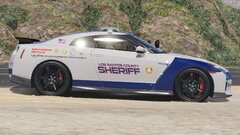
From the album: Cursed skin design
Vehicle funded by S.A.L.E.A.A. (San Andreas office of Law Enforcement Assistance Administration)
.thumb.png.d6eef080444181135920732af81dc3f1.png)

.thumb.png.5ec9999685d325400453a19d809c8f62.png)
