Skip to content
View in the app

A better way to browse. Learn more.

LCPDFR.com

A full-screen app on your home screen with push notifications, badges and more.

To install this app on iOS and iPadOS
  1. Tap the Share icon in Safari
  2. Scroll the menu and tap Add to Home Screen.
  3. Tap Add in the top-right corner.
To install this app on Android
  1. Tap the 3-dot menu (⋮) in the top-right corner of the browser.
  2. Tap Add to Home screen or Install app.
  3. Confirm by tapping Install.

MrAnthraX

Members
  • Joined

  • Last visited

Everything posted by MrAnthraX

  1. I have the same problem, how to fix this? And no the hotfix doesent work unfortunately.
  2. Oh right, of course - GTA IV is a Windows Live game, pretty much forgot. Anyways great work on the mod Sam, you are a good modder.
  3. Download link? Thanks man your helpfull. Why is GTA IV natively supporting the 360 controller and not PS3? If you dont mind I'd like to know ...
  4. Who cares about him? I want to know if I can use my PS3 controller on this mod, as I only saw xbox in the video.
  5. Why does the british guy say "LCPDFR 1.0" in the beginning of every sentence? We get it the first time you know. Other then that, will it work on PS3 controller aswell?
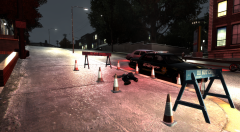
  6. MrAnthraX commented on xamore's gallery image in GTA IV Galleries

Account

Navigation

Search

Search

Configure browser push notifications

Chrome (Android)
  1. Tap the lock icon next to the address bar.
  2. Tap Permissions → Notifications.
  3. Adjust your preference.
Chrome (Desktop)
  1. Click the padlock icon in the address bar.
  2. Select Site settings.
  3. Find Notifications and adjust your preference.