anqrw
Members
-
Joined
-
Last visited
Everything posted by anqrw
-
 Thank you very much!
 -
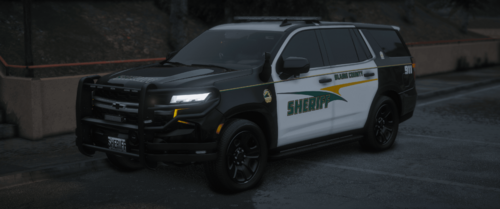
I have the Tahoe, Charger and FPIU with the 4k liveries in game. The FPIU livery looks normal, the Tahoe and Charger livery is a really dark green almost black though. Any ideas how to fix this?
-
Renaming the agency file appears to have worked. Thank you for the help and @Cyan as well for posting that.
-
still getting some of the defaults spawning. I got rid of them in the custom agency file but didn't seem to work I guess. Any other ideas?
-
Okay sounds good, in the data I have a folder called "ai" and then the agency xml and a bunch of other xml's (regions, backup) so I'll create a custom folder. I appreciate your help and fast response.
-
Awesome, thank you. By custom folder do you mean my mods folder? I don't have a folder named custom or any folder that ive ever considered custom just that mods folder. Anyway you could tell me the exact pathway to copy the agency.xml to? I don't wanna put it in the wrong place lol
-
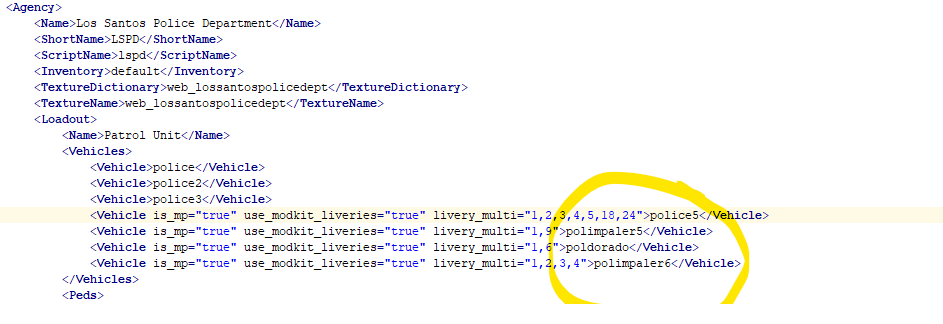
Just searched it in open iv and I only have one agency.xml in the gtav/lspdfr/data. I attached a screenshot, I take it once I change these values to my replacement police, police2 and police3 it'll work? Any other steps to take?
-
I deleted most of the default police vehicles I could find but I still have an Impaler, Dorado and another default vehicle that is spawning in traffic and as backup/at the PD's. All of my vehicles in the Emergency tab on my trainer spawn fine, just have defaults in traffic and as backup. I found one of the vehicles in the mp2024_01 folder and tried to delete it in OpenIV and got a "SYS_ERROR_00000005" unable to delete. Any suggestions on what to do now?
-
I feel like it's false positive. Had the same thing pop up and disappear. Ran multiple scans and not finding anything now.
-
Screen popped up on rage to revert game and I accidentally clicked on that and reverted the game and now I have error code 7002.1, says to please verify the integrity of your game.