



LaBombitaGG87
Members
-
Joined
-
Last visited
Everything posted by LaBombitaGG87
-
LSPDFR crashes whenever i load the plugin through my console or just when i startup the game with LSPDFR started. RagePluginHook.log
-
When I launch it without RPH the game crashes just like it did before verifying my files, no crash report or anything, it just shuts down.
-
Seems like verifying the files worked out the sudden crashing, but now it stays on the loading screen unlimitedly. I'll post the Rage log just in case you need it. RagePluginHook.log
-
RagePluginHook.log
-
 Can confirm that aswell, game crashes just as you are about to stow the weapon.
- 266 comments
- 23 reviews
-
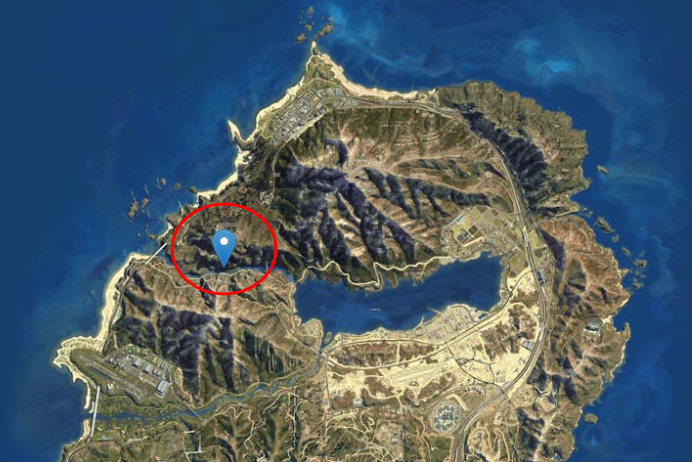
Has been happening for a while but it's become really annoying recently. Basically my Rage just crashes and takes me to my desktop when i go to certain forests and or mountain locations, they are not specific but it only happens there. Usually happens around this area: RagePluginHook.log
-
RagePluginHook.log (Solved)
-
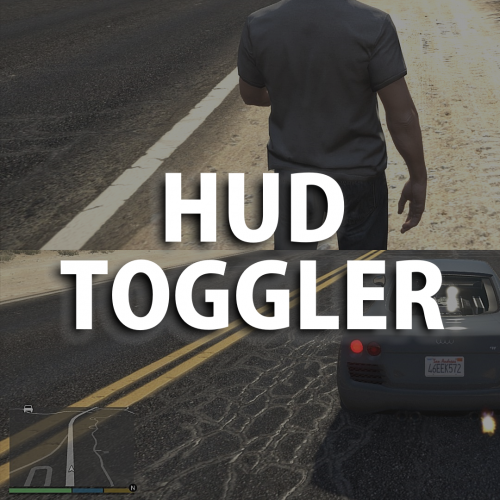 Not sure if it'll help but i'll drop it anyways. So i've noticed that when you turn off the HUD with SimpleTrainer, PLD stays put, i don't know much about developing and script making but again just wanted to let you know 🙂 Thanks for everything you do!
 -
Is there a way to make PLD appear when map is not being shown?
-
RagePluginHook.log
-
 I need EUP 8.2 for a uniform pack, how do i get my hands on a 8.2 version?
- 2,353 comments
- 239 reviews
-
Solved, it was an add-on vehicle that was giving me problems. Thanks for the suggestion tho!
-
Idk exactly why this is happening but it takes a while for the crash to happen, almost when the actual game is about to initiate. Before the crash I installed a few things inisde the mods folder and simply changed some things on some .ini files. For now i've tried rebooting my PC and naming my mods folder "_mods", none of which has worked. The game gives no crashing message afterwards, but here's my log if it helps... RagePluginHook.log
-
It's already solved, thanks for the response tho 🙂
-
Yeah thanks I got it fixed, appreciate your time 🙂
-
 Yes you can, although DLS is way better with vanilla cars, but if you still want ELS this should do it: https://www.lcpdfr.com/downloads/gta5mods/misc/16543-make-non-els-vehicles-els/
 -
Game starts up... now what? I mean i was pretty sure the problem was in the mods folder
-
I've installed a few things and don't know what's causing it. Help would be appreciated 🙂 RagePluginHook.log
-
I've installed a few things and don't know what's causing it. Help would be appreciated 🙂 RagePluginHook.log
-
Thanks it worked, appreciate the time!! 🙂
-
I'm trying to go full vanilla here but got no idea why my LSPDFR crashes all the time. I'd appreciate a hand 🙂 RPH log : RagePluginHook.log
-
Go check out Medic4523 on Modification Universe, he makes loads of firefighter/EMS vehicles with working features such as the tiller ladder you metioned. Here's the websire, you'll have to make an account to be able to download anything: https://modification-universe.com/forums/resources/
-
You can change that in the Ultimate Backup xml files for the backup responding cops to use the combat pistol or the lspdfr data folder by changing the inventory.xml and inside the custom the inventory_eupfr.xml You can look up the models for the firearms here: https://wiki.rage.mp/index.php?title=Weapons
-
-
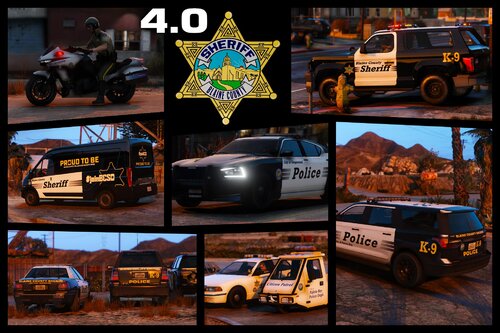
.thumb.png.69f541f5ea239013499a869869dccd5a.png) Grime removed all of his vehicle packs for some reason... I was really looking forward into using this, shame on me for not downloading his pack earlier 😞 You did a good job none the less!
Grime removed all of his vehicle packs for some reason... I was really looking forward into using this, shame on me for not downloading his pack earlier 😞 You did a good job none the less!- 10 comments
- 5 reviews


.thumb.png.69f541f5ea239013499a869869dccd5a.png)