


callums328
Members
-
Joined
-
Last visited
Everything posted by callums328
-
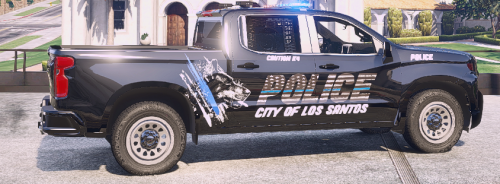 I INSTALLED IT AND EVERYTHING WAS GREAT UNTIL I TRIED TO USE THE POLICE INTERCEPTOR. IT WAS LIKE THE TRUCK REPLACED THE INTERCEPTOR. I RENAMED THE TRUCK FILE TO POLICE1 AND GOT MY INTERCEPTER BUT I CANT FIND THE TRUCK. WHAT CAN I DO TO GET THE TRUCK AND INTERCEPTER?
- 17 comments
- 4 reviews
