NightYield
Members
-
Joined
-
Last visited
Everything posted by NightYield
-
 Hello @thelewiss, thank you for uploading a part of your RagePluginHook.log. That was actually helpful. You are missing the correct version of the RageNativUI.dll, which is required. Please download the latest release of @alexguirres RageNativeUI and install it. This should fix the problem with TrafficBlock. Cheers 🙂
- 113 comments
- 10 reviews
-
-

- 1
-
-
Hi doctorvita, As I told other users who asked for help: please upload the RagePluginHook.log of the game session where you encountered the described problem. You can also try the new option, which I described in the changelog for 1.2.0
- 113 comments
- 10 reviews
-
Hey ace, I'm working on it. I send you a private message do discuss the details.
- 113 comments
- 10 reviews
-
Hey Rich, I will hit you up in discord but in short for everyone: it is not inspired by scene manager, sorry. I implemented the barriers for myself, so I could get rid of Albos traffic policer mod. I love it, but it is outdated as hell. And the siren feature, well I couldn't find a plugin with this feature, so I implemented it.
- 113 comments
- 10 reviews
-
Hi, thank you for your interest in my traffic block plugin. Unfortunately none of you attached a log or send me a PN with it. I can't help you this way, please describe problems always as detailed as possible. Ensure that you have installed the requirements, this plugin does not work with outdated versions of the Plugin Hook or RageNativeUi. Also ensure that you have installed the latest version of this plugin (v1.1).
- 113 comments
- 10 reviews
-
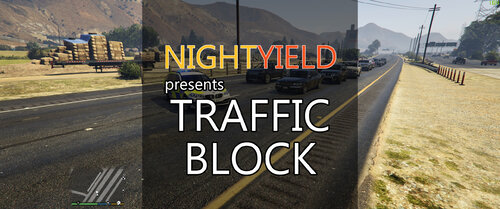
This plugin allows you to place barriers and cones to stop the traffic. Alternatively you can use your police car to block the road and stop the traffic. Do you need Help with this plugin? Read the "Troubleshooting" section! Details This lightweight plugin will add two features to your game. It will allow you to place barriers and cones via a menu. You can open the menu via U. The barriers and cones will block traffic, but cones only in a small radius. You can change the assigned menu key, just edit the TrafficBlock.ini file. It also allows you to disable the barrier feature in case you want to use a plugin with more options for this, like Richs Scene Manager. With the second feature you can use your police car as a roadblock while you are not in the car yourself. This feature allows you to operate on a street in case of an emergency, without having NPCs driving around you. Traffic stops will not be blocked by this feature, because it triggers only when you park your car diagonally to the road. Adjustments to this feature can be made by editing the TrafficBlock.ini file. To activate the roadblock do the following steps: Slow down your police vehicle Park diagonally on the road you are on Ensure the siren is active Leave the vehicle Traffic will now slow down in front of your vehicle, like you can see it on the uploaded plugin pictures. If you want to end the roadblock, go back to your vehicle and drive away. The traffic block will end once your police car is faster than 10 km/h. This is to ensure that the traffic will not start to flow just because you hit a movement button by mistake. Requirements A legal copy of GTA V RAGE Plugin Hook RageNativeUI 1.9+ ( https://github.com/alexguirre/RAGENativeUI/releases ) Installation Just copy the plugin folder into your GTA V folder and enable the plugin in the Rage Hook Settings. You can find more detailed instructions within the ReadMe file. Troubleshooting Ensure that you have followed the instructions within the ReadMe Ensure that the plugin was installed into GTA/plugins Ensure you have installed all requirements Ensure that you have at least RageNativeUI 1.9 Try to set the IgnoreTabViews .ini option to true in case of any problems with the menu (for example, if the menu does not open) Acknowledge: Controller / Game-pad input is not officially supported by me for this plugin Acknowledge: By downloading another mod you may have downgraded your RageNativeUI, see point 4. 99% of all support requests that reach me are about errors that can be avoided. Please read the tips above very carefully. Most of the time the right version of RageNativeUI is not installed or the IgnoreTabViews fix was not used. If you still have problems contact me via private message and attach the RagePluginHook.log. I can't help you without this log file! Special Thanks @alexguirre for the awesome RageNativeUI @Mac Tavish for testing All guys and ladys from the LSPDFR Developer community About the future of Traffic Block In January 2024 I released a new plugin: Traffic Suite. You can check it out here on lcpdfr.com. It does offer enhanced versions of Traffic Block's features and much more. Traffic Block will stay in maintenance mode. I will not release new features for Traffic Block, but fix critical bugs if reported. You can continue to use Traffic Block if you prefer it! Traffic Block is not abandoned, it's just feature complete 🙂
- 113 comments
- 10 reviews
-
-

-
- 31
-