


Mac Tavish
Members
-
Joined
-
Last visited
Everything posted by Mac Tavish
-
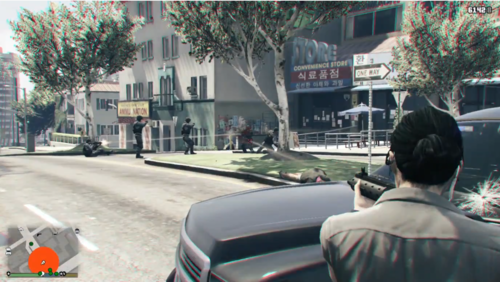 You are welcome. In the older versions there was one and then I didn't see one in long time so I decided to made one by myself. I am aware of the suggestions but I am not getting enough time to get back to this thing but I hope to get back within this year. Also I need to upgrade my device to have a better development experience.. I hope this plugin makes your game fun in the meanwhile 🙂
 -
 Its a one sweet and light plugin but the only problem is the too much precision of placement while placing barricades/cones. You get them curved XD
- 113 comments
- 10 reviews
-
-

- 1
-
-
Thanks for letting me know about the audio, I will check it but for now, I am busy in trying to make a partner plugin (haven't you missed it for a long time?). As for the suggestion about when character is killed, I think that should be a part of separate plugin or a part of some sort of enhancement plugin because it is more of an aesthetic thing than being useful and have potential chances to make mess. If I do that, should the backup be dispatched there? If so, You will be spawned at hospital and it pretty much doesnt matter backup was sent or not. If You want to see the backup there if you go there then its another problem. What if you go after many nights? Would you want so many objects to persist there (think about it in terms of hardware resources)? I am willing to hear out more since it can be done as part of another panic button plugin but kinda modern and lazy where you dont have to press it. Backup get requested automatically depending on situation. So if player dies, most likely that will be in a hostile situation, so backup will be dispatched there + that aesthetic stuff can be done as well 🙂
-
Yes, I was planning it along with some other stylistic (adding colors to messages related to this plugin) modifications to the plugin. However that depends on if such an audio already exists or not. If it does not exist then it will be difficult for me to find one. Do you have anymore suggestions to make it more cool and immersive?
-
 I think often what happens is that the callouts are of same type but with a lil bit of diversity. For example, Officer hit a panic button callout. Some plugins will have them as just a fleeing suspect or some plugins will have them attacking the officer with a knife while some will have the suspect attacking with a pistol. Yes I agree that Callouts should be chosen carefully. Focus on quality rather than quantity.
- 422 comments
- 25 reviews
-
-
I didn't see any standalone plugin (there was one in past) for that in newer versions. So I decided to built my own. I thought that community have forgotten about it. I didn't know that it comes integrated in some other plugins along with their own features. You or users can prefer them if they want all of their features but if they simply want a Panic Button then they can use this one.
-
Thank you for support. It means a lot to keep me motivated ! Rest assured, there will be improvements to this very soon. This is just the initial minimal release I am sorry that this keybind is very unpleasant for you. As I said in my post, this is my starting off and its a Minimal release. I wanted it to be available as soon as the core thing is built. For the .ini, its planned and an update will be provided very soon ! Thank you for appreciation and your suggestion. I will think about your suggestion too.
-
Hi everyone, this is my first ever plugin and my first ever attempt into development of anything related to gaming/modding. I hope you guys like it. This is an initial version so it is not customizable at the moment but I definitely have plans for it. Hopefully the new update will be done within this month and Plugin will be customizable after new update. I have more plans for plugins apart from this. Right now I am planning to make a partner plugin and some callouts as well. No promises about that though but I will try my best! About Panic Button Panic Button allows you to request Backup in Code 3 at your location. This is very helpful when you are outnumbered OR in a very risky situation. However, this plugin does not ensure that backup is instant. You should expect 10-20secs for the cops to arrive at your location. So make sure to take cover as well! At the moment, the key bind and backup units are not configurable. However, They are planned to be available in new release. For now, there are 2 Noose Units and 3 SWAT units that respond to backup request. Hopefully by the end of this month, I will be able to add customization via a configuration file. Installation 1. Place the "plugins" folder inside your GTA V root(the folder where you GTA V is installed) directory. Usage 1. Press "Alt+C" to enable Panic Button 2. Press "End" to turn off Panic Button. Compatibility I have tested it with my v0.47. You are free to try it out with lower or higher version. Credits A huge thanks to @maxplayle04, and @PNWParksFan who answered my question and get me started on making my first ever plugin. Without their help, it would have been very difficult !
