.png.01dd0def1c61f184734cc090d7a2bc53.png)

theandrewbuchanan
Members
-
Joined
-
Last visited
Everything posted by theandrewbuchanan
-
Because Im new to modding and screw up and have had to restore my computer several times since starting this a month ago. I have an original copy of gtav, a copy with lspdfr basics, and a copy of everything i play with backed up on a external hard drive with version 1.0.2060.0. So i cut off auto update from epic game launcher, replaced my update.rpf gtav.exe & playgtav with my back up version. And everything is working fine now.
-
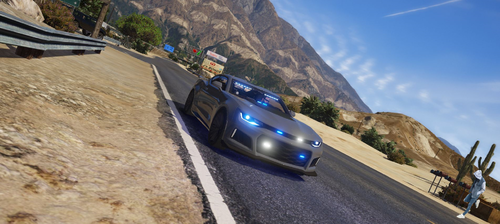 Can anyone tell me what vehicle name to spawn it with? ie: f4 spawn police2. So what name would i use in my command?
- 9 comments
- 3 reviews