


Its Seth
Members
-
Joined
-
Last visited
Everything posted by Its Seth
-
When I open the game with Rage Plugin Hook - it gets suck on the "Loading Story Mode with Rage Plugin Hook" screen I tried asking for support in a discord server, where we tried to launch the game without running rage, and the game would get to the loading screen for a few mins and then crash still not reaching the game. I tried verifying the game and now im only getting this message... Ive restarted my PC several times, and even signed out of rockstar launcher and epic games both and im still getting this issue. Attached is my Rage Log EDIT: I forgot to add this, but we also changed the name of my mods folder and we are still having the same issues RagePluginHook.log
-
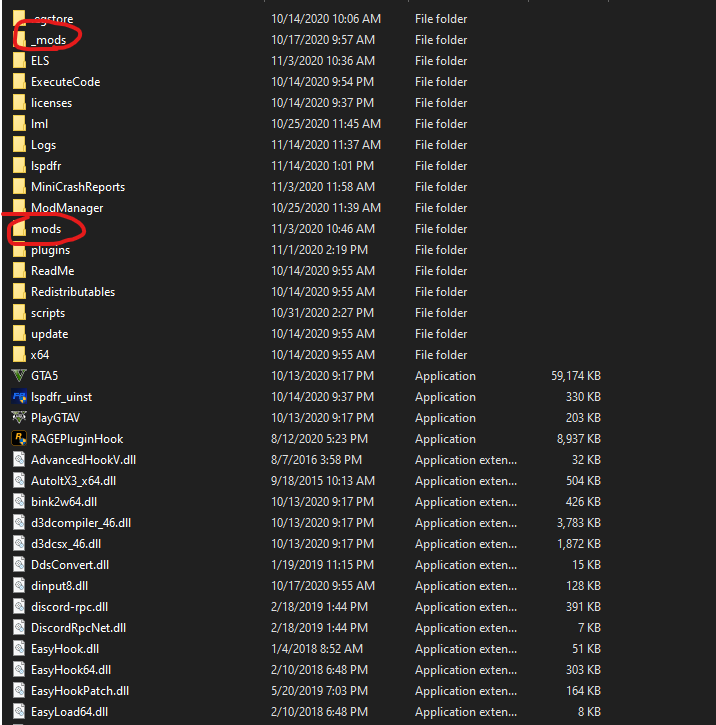
Yes I know, I had renamed the mods folder, and then eventually created a new one in OpenIV
-
Im unsure what you mean, but everything that I have installed since the issue, has been put in a new mods folder (created by Open IV)
-
I know that I had installed a few ELS cars, and I believe I had changed a vehicles.meta file prior to the issue. In the meantime, I have reinstalled some cars, and the game still works fine.
-
By the way, thank you to everyone that helped. Changing the name worked, just forgot to come back to the post 🙂
-
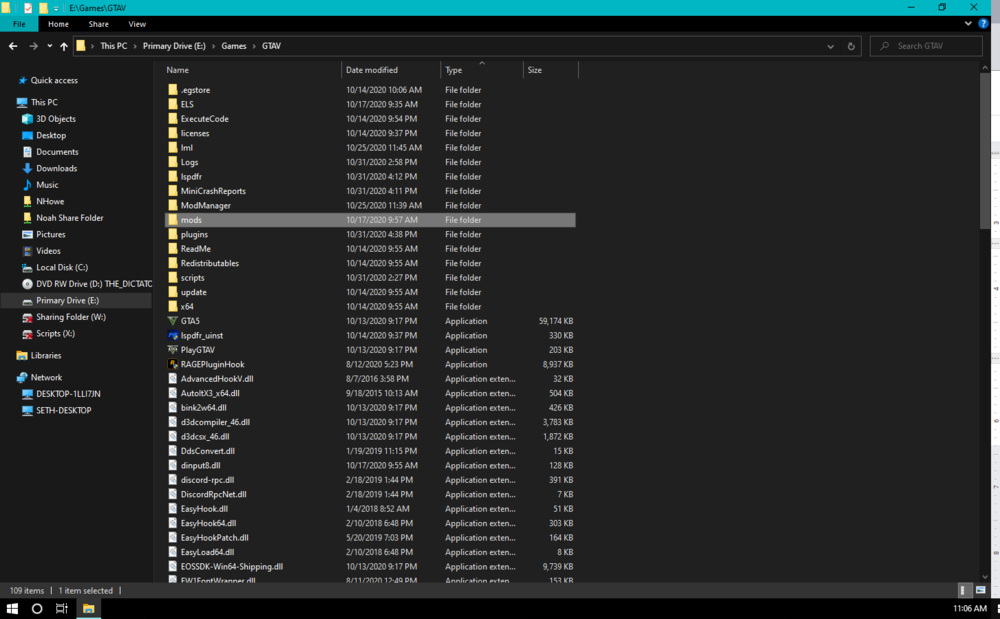
I edit the name of this folder?
-
Im not too experienced in that kind of stuff. Would you be able to tell me how to do those two things?
-
Hello, I tried to launch the game, after restarting my PC, and I began to receive this error message. Attached is the generated log created by Rage Plugin Hook. Any help would be greatly appreciated. Thank You Seth LSPDFR Crashes.txt
