Skip to content
View in the app

A better way to browse. Learn more.

LCPDFR.com

A full-screen app on your home screen with push notifications, badges and more.

To install this app on iOS and iPadOS
  1. Tap the Share icon in Safari
  2. Scroll the menu and tap Add to Home Screen.
  3. Tap Add in the top-right corner.
To install this app on Android
  1. Tap the 3-dot menu (⋮) in the top-right corner of the browser.
  2. Tap Add to Home screen or Install app.
  3. Confirm by tapping Install.

leomac60

Members
  • Joined

  • Last visited

    • 120 downloads
    • Version 1.0.0
    (Texture, shirt not included) I decided to make this as there was no others that I could find so I decided to release it to the community please let me know if you would like to see other things like this in the comments, Enjoy - Leo LSDPFR EUP: jbib_002_u Discord: https://discord.gg/wFKnc8qW5z, leo mac#0078 TOS: By downloading this file you agree to the TOS. You may not reupload this or claim it as your own. You MAY use this in your server/clan.
  1. I can't do this as it breaks the tos of some of the parts on the vehicle.
    • 1,496 downloads
    • Version 1.0.0
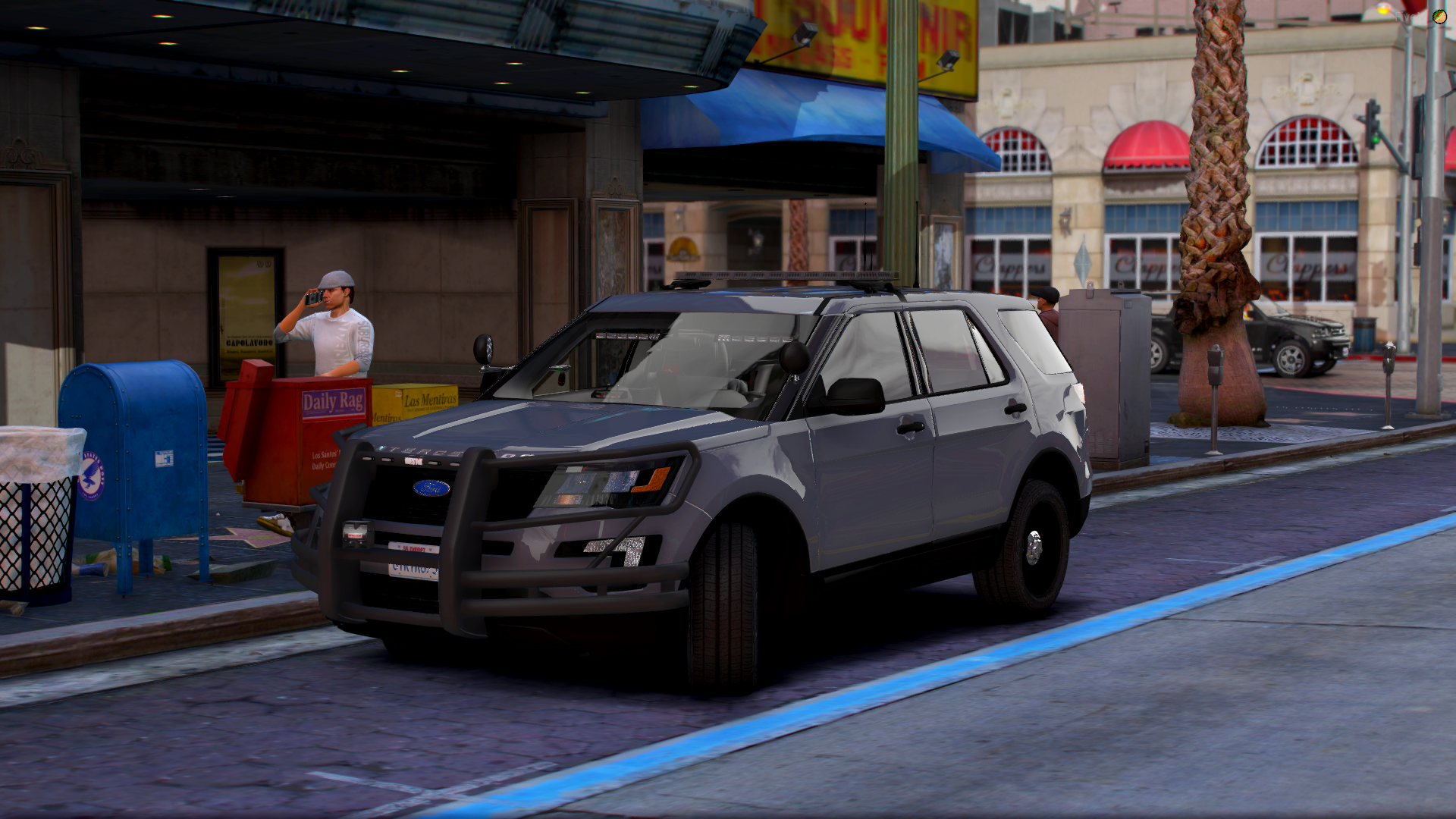
    2016 FPIU This is my first model so please give criticism and if you find any bugs please put them in the comments so I can fix them. IF you would like to suggest anything put it in the comments. Extras: Extra 1 - light bar Extra 2 - visor lights Extra 3 - Dash lights Extra 4 - rear advisor bar Extra 5 - push bar Extra 6 - wrap around Extra 7 - spotlight Extra 8 - speaker (L) Extra 9 - speaker (R) Features: Bobble antennas 360 degree lightbar lighting Custom light pattern Comes with window and and body template Discord: https://discord.gg/wFKnc8qW5z, leo mac#0078 TOS: By downloading this vehicle you agree to the TOS. You may not reupload this or claim it as your own. You MAY use this in your server/clan. You may not rip/unlock the files contained in this archive. You may not edit this rip or dismantle any of the vehicle files without my permission (except the YTD.)

Account

Navigation

Search

Search

Configure browser push notifications

Chrome (Android)
  1. Tap the lock icon next to the address bar.
  2. Tap Permissions → Notifications.
  3. Adjust your preference.
Chrome (Desktop)
  1. Click the padlock icon in the address bar.
  2. Select Site settings.
  3. Find Notifications and adjust your preference.