YungQtipp
Members
-
Joined
-
Last visited
Everything posted by YungQtipp
-
I removed the mods you suggested and it's working fine now. Thanks for the help!
-
Alright, I'll try it again. Thanks!
-
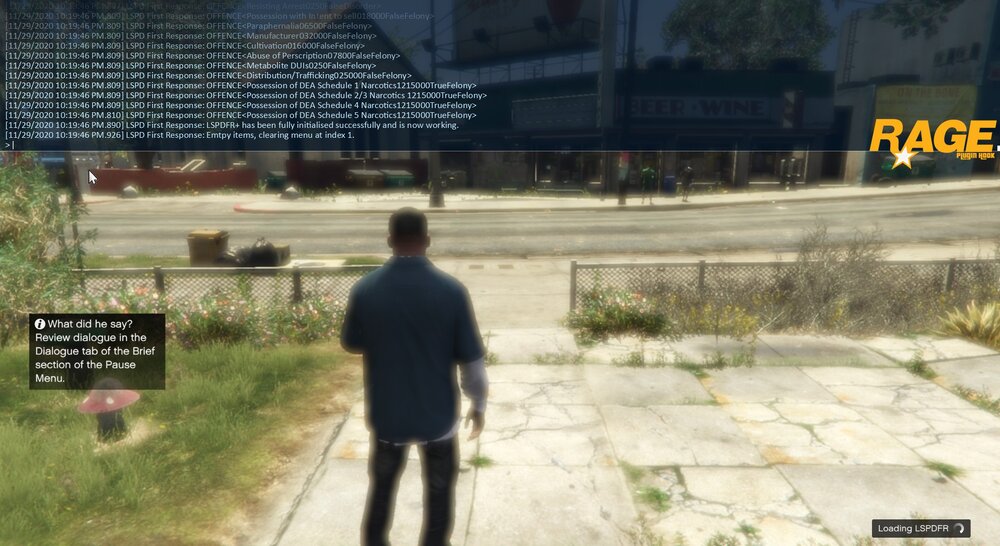
I load up RPH, all the plugins load properly but the "Loading LSPDFR" wont disappear". The game doesn't crash because I can still move my character, shoot my gun, and everything else but the blurry overlay won't disappear. I've tried everything mentioned on this post (see below) and even redownloaded GTA, but I'm still dealing with this shit. It's super irritating cuz everything was working properly, then suddenly I try to load up LSPDFR and it doesn't work. Hopefully somebody can help me out because I've tried everything mentioned on other forums to no prevail. Modlist: LSPDFR, Scripthook V, Stop the Ped, Traffic Policer, LSPDFR+, EUP, ELS, Radiance V, Computer+, Typical and United Callouts. RagePluginHook_30112020_003602.log