Skip to content
View in the app

A better way to browse. Learn more.

LCPDFR.com

A full-screen app on your home screen with push notifications, badges and more.

To install this app on iOS and iPadOS
  1. Tap the Share icon in Safari
  2. Scroll the menu and tap Add to Home Screen.
  3. Tap Add in the top-right corner.
To install this app on Android
  1. Tap the 3-dot menu (⋮) in the top-right corner of the browser.
  2. Tap Add to Home screen or Install app.
  3. Confirm by tapping Install.

Perez Productions

Members
  • Joined

  • Last visited

Files posted by Perez Productions

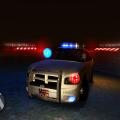
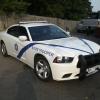
  1. My First Release Vehicle.
    She has the New Technology of the Spot Lights that Flash also the
    Integrated Traffic Advisor is actually a Traffic Advisor that only Shows
    the Traffic Advisor when Activated. Go Rhino Ram bar for Pits, also helps
    protect from head on Collisions also help stop from Animals etc. (Like an Animal
    will jump out of no where). The Green and White Skin to give it a different Class
    than the Traditional Black/ White. The Antennas for Dispatching in also for the
    other Radios that are still in use like, CB's for Truckers, Regular Scanners, Now
    Digital Scanners, extra Antennas for support also for Computer.

    Try not to have fun Blending in with the Grass N' Trees.

    Thank You
    Have a Good one.


    El Sergeanto!
    • 74 Downloads
    • 7 Comments
    Submitted

Account

Navigation

Search

Search

Configure browser push notifications

Chrome (Android)
  1. Tap the lock icon next to the address bar.
  2. Tap Permissions → Notifications.
  3. Adjust your preference.
Chrome (Desktop)
  1. Click the padlock icon in the address bar.
  2. Select Site settings.
  3. Find Notifications and adjust your preference.