


SilverVFD
Members
-
Joined
-
Last visited
Everything posted by SilverVFD
-
.thumb.png.8206b3cf406cdf692644ef89f2a79750.png) The blue is a bit too bright in my opinion. Pretty nice otherwise.
The blue is a bit too bright in my opinion. Pretty nice otherwise. -
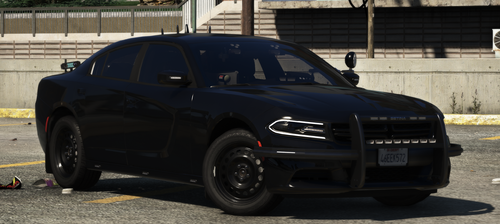 This should replace the fbi model, cause it would make more sense. Mostly cause this is basically a unmarked (at least without custom textures), the buffalo is based off a Charger anyways, and the other Tahoe is in the fbi2 model, so it'd make sense if it would be in the same fbi thing with it. You don't have to change that, but that just makes more sense to me, cause then you don't have to replace the police2 which could be a normal LSPD car.
- 30 comments
- 6 reviews
-
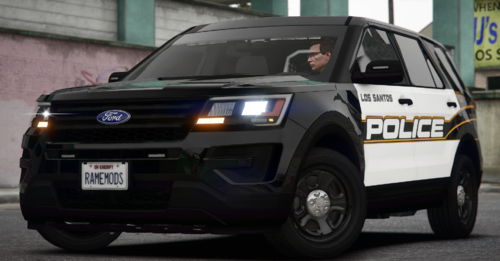 Wait this is a real department? I thought that was some random livery DOJ made up. That's so weird to see in real life photos. Man, I'm stupid.
- 28 comments
- 1 review
-
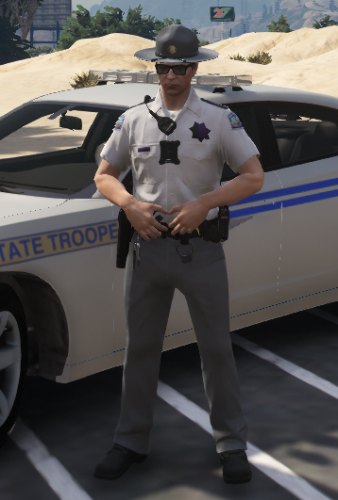 There.
 -
 Damn, that rumbler sounds mean! Almost more scary than the Devil's Siren! (The one CHP uses.)
 -
 That was the closest I can currently find to it. It may not be the exact one I don't think, but it's pretty close.
- 207 comments
- 94 reviews
-
 Not saying I don't like it. It's a good pack. Talking to the dude I quoted, hating on the 11' CVPI having a 13' nFORCE. He was using logic saying that you shouldn't have a nFORCE on a CVPI, so I I just used his real life logic back at him. He has a Liberty on the CVPI in the first place, so it shouldn't be an issue.
- 95 comments
- 24 reviews
-
Or maybe they could have got that CVPI at a later date after 2013? I think that's pretty magical.
- 95 comments
- 24 reviews
-
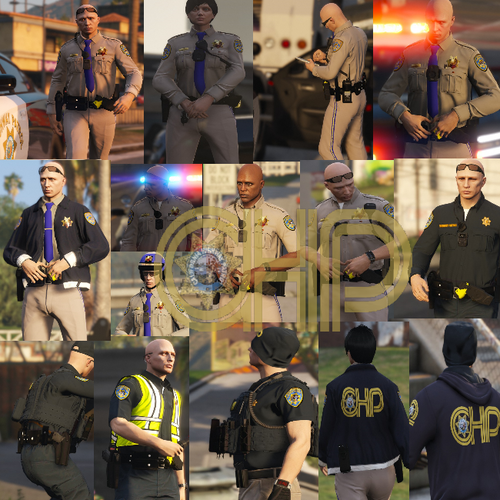 The last 2 uniforms look badass with that vest! 100% a uniform I'll use. Amazing pack as always on this site!
- 36 comments
- 10 reviews
-
Like the description said, just use Simple Trainer (Install it if you haven't already, serveral tutorials on youtube), and you should be able to change the tint from there. You can use the in game files to change it, so you don't have to keep doing it, but it's a lot easier to do it through Trainer. (Once again, if you still need help with that.)
- 207 comments
- 94 reviews
-
-

- 1
-
-
Pretty nice but simple little pack! At first looking at ADPS cars, I really hated them. I'm way more used to them now. Definitely another pack I'll probably try out. Excellent Job! Right here bud! (If you still need them, lol.)
- 207 comments
- 94 reviews
-
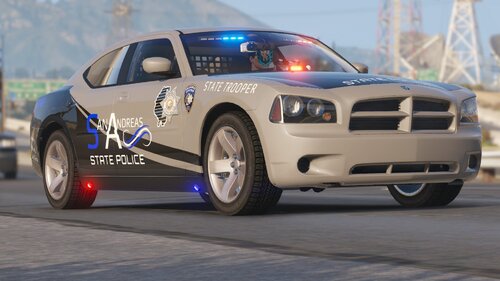 How do I even start this? This pack looks amazing, and I can't wait to write a actual review once I can finally download it. The WRX, Hellcats, Fusion, not cars you see every day. I can see you put so much work into this, and some people don't understand how much goes into making these. I am so into trucks, and that GMC is making me feel some type of way, can't wait to use that also. The ghost cars, the slicktops, there are all kinds of variants for every car. You added every police vehicle imaginable to this pack, and once again, it's just awesome. Even the Uniforms have so much work put into them. I appreciate the work you put into these, and just looking at the previews I'm amazed, one of the best packs I've seen at the moment. I would give a 100/10 if that was even possible, but sadly I can't. Once again, for like the 90th time, huge props to you!
- 44 comments
- 17 reviews
-
-
- 1
-
-
 Awesome Pack, but I'm just laughing at the fact the Explorer looks like a Lowrider in the 3rd preview photo.
- 76 comments
- 15 reviews
-
 Awesome pack! Just starting to get into LSPD:FR, and I'm from Illinois so this is a 100% A pack I'm probably gonna download. Liveries look spot on, and I love the Unmarked Packages that come with! Good work.
- 164 comments
- 17 reviews
-
-
- 1
-
-
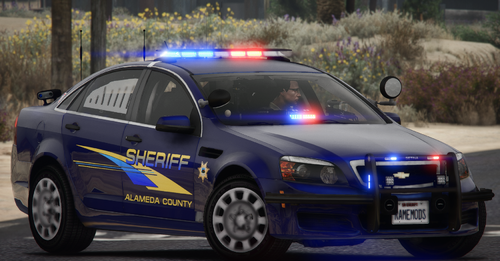 Awesome. Loving the Ghosts, and reminds me of DOJ so much. 10/10 Pack.

.thumb.png.8206b3cf406cdf692644ef89f2a79750.png)
