


Dangerous Noodle
Members
-
Joined
-
Last visited
Everything posted by Dangerous Noodle
-
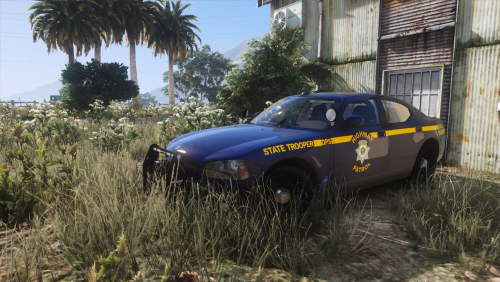 Screenshots contain a random assortment of cars, mostly Ripple's stuff. https://www.lcpdfr.com/profile/325713-ripple/content/
 -
Something I've been working on for the past month or so and decided to release cause a couple people asked me to. Please don't rip or reupload these liveries anywhere else. Not intended to be 100% accurate, I know the font is off, I know NHP don't use some of these vehicles, I just did what I thought looked nice. Also comes with a Nevada based license plate, since none of the models I found had custom mapped plates. Installation instructions included. Compatible vehicles:- The names after the hyphen are the people who made the base models. Check the credits of any vehicle pack to see who the base models are by. If any of these names show up next to a vehicle, these liveries will work on that vehicle. Colors of liveries listed as well. Currently in pack:- 10 Charger (Silver, Blue and older Blue liveries)- PSource 12/13 Caprice (Silver and Blue) - Kane104 13 Expedition (Blue and K9 Blue + 2 window decals) - Otaku 14 Tahoe (Blue) - OfficerUnderwood 14 Charger (Silver and Blue) - TheHurk 15 F150 (Old Blue) - PoppySeed (specific model used is in the readme, the rear lights on the tailgate of any other model may or may not cover the rear text) 16 Explorer (Silver and Blue, + additional liveries with battle born hood decal) - Kane104 18 Charger (Silver and Blue, + additional liveries with battle born hood decal) - Matt 18 FPIS (Silver and Blue) - GeorgieMoon 19/20 Tahoe (Silver and Blue) - GeorgieMoon 20 Explorer (Silver and Blue) - HP Deskjet/SoCal Thero 21 F150 (Silver and Blue) - Raz3r Planned:- 11 CVPI - Otaku, I'll do one for OfficerUnderwood's base as well 18 F450 ESU (pretty sure they use it for hazmat) - Koduuh Issues:- Window text on the Expedition is darker than on the livery. I believe this is a model issue, not a texture one but I will keep looking into it.
-
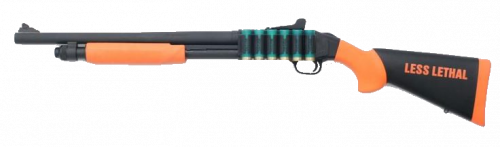 A little something I made ages ago and decided to upload. Replaces the unused sound files in PTL_RUBBER, meaning you can have a normal pump shotgun audio hash, as well as a beanbag audio hash. Adds a new audio hash for your weapons - AUDIO_ITEM_RUBBER. Installation instructions, as well as instructions on how to change audio hashes in the readme, please read it. I will keep messing with the .rel file to try and make it sound more realistic, but no promises. Showcase :
 -
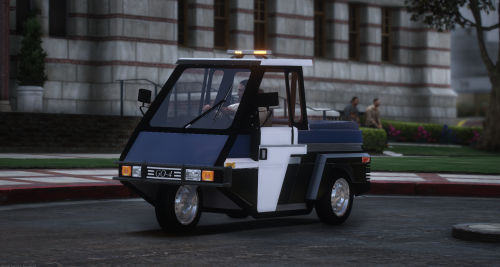 could we get a template?
 -
-
 Very cool callout pack. Fun and interesting to play. Great job sebi! Please put the gun down now sebi we have families.
- 641 comments
- 53 reviews
-
-

- 2
-
-
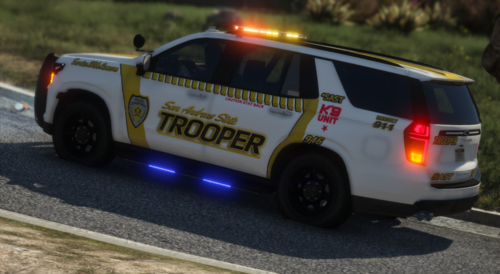 Looks super noice! 💯
 -
.thumb.jpg.37cdb54de83d6dee03b6b15e76b2f5fd.jpg) The Assault on Bus callout appears bugged for me. The bus driver will just drive away as soon as i get on scene for some reason so as soon as the suspect is done with their dialogue, it just says "Code 4 - Return to patrol" and the suspect and victim become normal peds and start walking down the street.
The Assault on Bus callout appears bugged for me. The bus driver will just drive away as soon as i get on scene for some reason so as soon as the suspect is done with their dialogue, it just says "Code 4 - Return to patrol" and the suspect and victim become normal peds and start walking down the street.- 184 comments
- 24 reviews
-
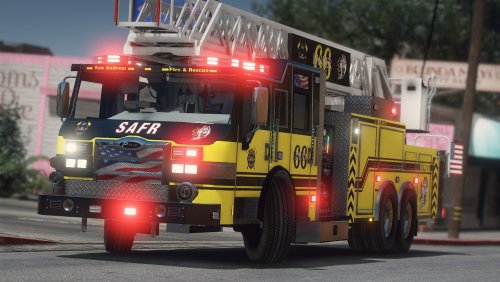 Amazing looking model! The files are for the firetruk slot but all of the metas are under the model name "ladder" so it was a bit confusing to install but it works great as a dlc. However, as it is only a two seater, Ultimate Backup cannot spawn it, which other people have reported. BetterEMS has no issue though. Considering that the model does include visible rear seats, would it be possible to define these in the vehicles.meta to allow UB to spawn it? (Also currently if you press E near the rear seats (to try and get in) it will very rarely softlock you in place and you need to tp out. Only happend 1/200 times or so idk what that is all about)
- 38 comments
- 4 reviews



.thumb.jpg.37cdb54de83d6dee03b6b15e76b2f5fd.jpg)
