AviatorPhil
Members
-
Joined
-
Last visited
Everything posted by AviatorPhil
-
-
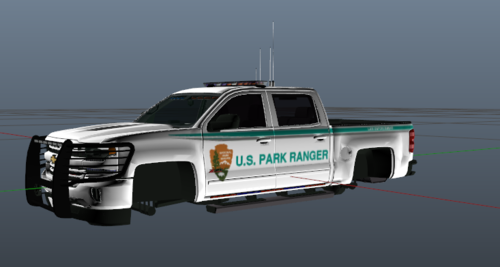
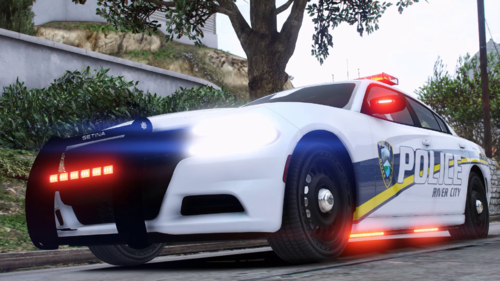 The liveries are based on Roblox Emergency Response: Liberty County. This is my first livery. Please enjoy. I will be trying to fix any problems, but can't guarantee speedy fixes. Showcase: Texture pack is designed for the vehicles below, but they may still be applicable on other models. https://libertycity.net/files/gta-5/102195-2016-chevy-express-3500-prisoner.html For full experience, I recommend these sirens:
- 17 comments
- 2 reviews
-
-

-

- 5
-
-
In your vehicles.meta file, use "CTRL+F" to find "FLAG_BIG". Delete every "FLAG_BIG" you see and make sure you leave no space between the other flags and the angle brackets. All trucks, buses, and large vehicles that normally won't move over will now yield when you have lights and sirens on.
-
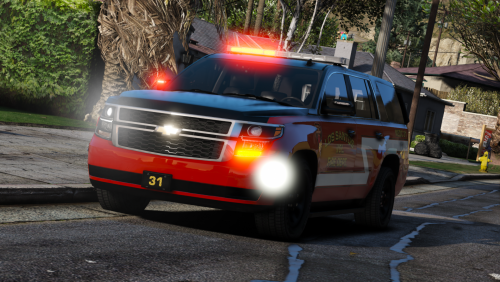 What do you mean by "install into your regular rpf file", and what do I have to rename it to? I tried to download it, but the game crashes.
- 11 comments
- 11 reviews
-
I managed to get the game loaded, but it still crashes when I go on duty for no apparent reason. I went on duty in the station. Here is the log again. RagePluginHook.log
-
Hi, my LSPDFR crashes GTA V when attempting to launch it. When I do, the screen turns black and crashes a few seconds later. This happened since I modified some skins on vehicles. The log will be posted below. I've already tried disabling my mod folder, but that doesn't seem to work. RagePluginHook_28082021_224738.log
-
Hello, I recently redownloaded LSPDFR and I ran into a problem where some custom vehicles installed won't show up. I put them all in the right place (GTAV/mods/update/x64/dlcpacks/patchday23ng/dlc.rpf/x64/levels/gta5/vehicles.rpf). I have police, police2, police3, police4, policet, policeb, sheriff, sheriff2, firetruk, ambulance installed. However, only police, police4. policet, ambulance would show up. The rest is still the default cars. I looked at the plugin logs as well, but nothing seems off. Does anyone have solution to this?
-
.thumb.png.f67b816be7af31492bab9e25f0813607.png) Great models. The lights aren't too crazy, the livery looks nice, and the models are highly detailed. Thanks for this!
Great models. The lights aren't too crazy, the livery looks nice, and the models are highly detailed. Thanks for this!- 1 comment
- 2 reviews
-
-
- 1
-
-
Oh right, I used the wrong folder. I'm pretty sure it will work now, thank you for your help!
-
It's at GTA V/mods/update/x64/dlcpacks/patchday22ng/dlc.rpf/x64/levels/patchday22ng/vehiclemods. I also installed it at GTA V/mods/x64e.rpf/levels/gta5/vehicles.rpf.
-
Hello. I recently deleted some of my vehicles to use the vanilla police cars. Before that, I could download vehicles just fine. However, when I moved all vehicle files to patchday22ng, the vanilla vehicles keep showing up instead of the mod ones. I moved them over to x64e and vehicles, but then only some installed cars showed up and the rest of the cars are default. If anyone has a solution to this, please let me know. Thanks.
-
-
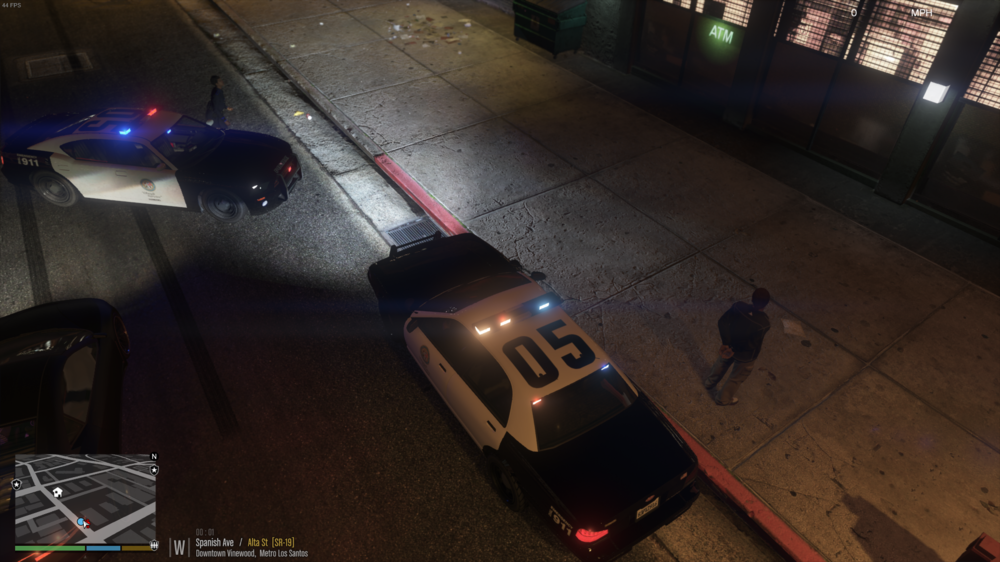
Hello, I had this happen when I was using the default police car (non-ELS). As you can see in the picture, my light looks too light compared to the AI lights. Can anyone tell me how to fix this issue?
-
-
 Very nice mod, I like the model and the livery. Just the ambulance I wanted.
- 209 comments
- 40 reviews
-
.thumb.png.f67b816be7af31492bab9e25f0813607.png)