.jpg.4001738304ae36099f81e98e7e349fba.jpg)

Moosesgooses
Members
-
Joined
-
Last visited
Everything posted by Moosesgooses
-
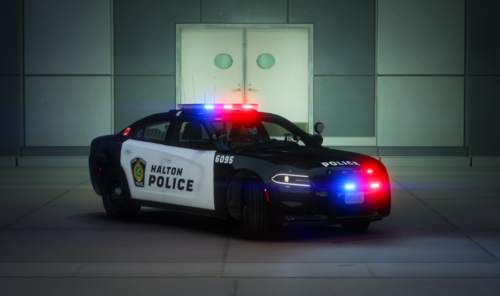 There are the following included in this pack : ~ 2018 Dodge Charger Skin ~ 2014 Dodge Charger Skin ~ 2016 FPIU Skin ~ 2016 Ford Taurus These are .png files that you just replace in your .ytd Join my discord for custom skins that I can make for you! https://discord.gg/WjYyfxk
- 3 comments
- 1 review