


FrezzyPL
Members
-
Joined
-
Last visited
Everything posted by FrezzyPL
-
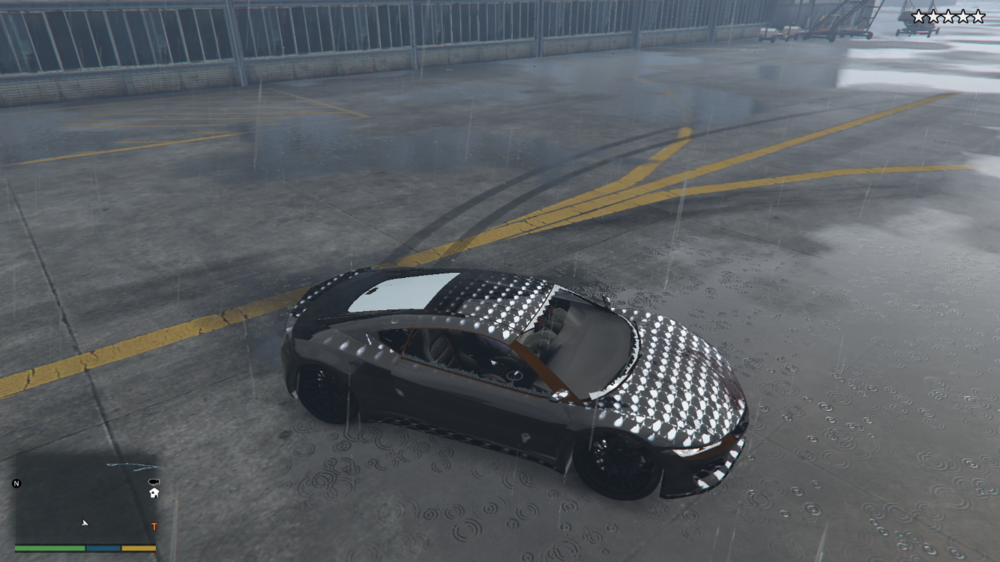
So when i installed some vehicle packs and some plugins for callouts and when i boot up the game 1. Even if i have 5 star wanted level no police spawns whatsoever 2. Textures behaving strangely (Like speedometer on fricking windshield) 3. My game crashes 4. Cant spawn police vehicles using Rage console (they dont show up) 5. No peds on the streets (only in vehicles)a, dont know what to do Thanks!
-
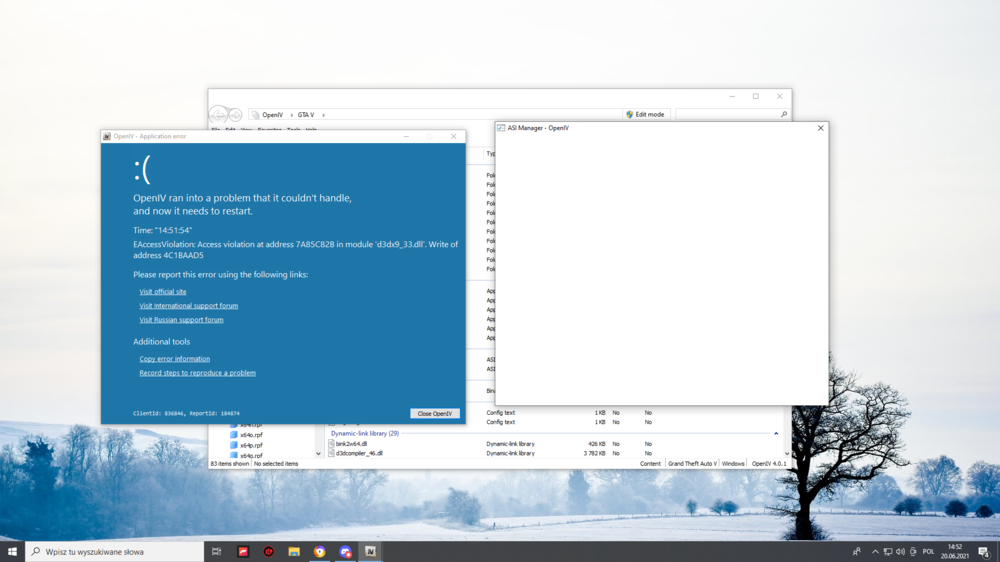
Wanted to install EUP but when i try to open ASI manager i get "OpenIV ran into a problem that it couldnt handle" I tried reinstalling openIV but nothing
-
lol i deleted CheepCallouts only and everything is working xD Thanks
-
Hi, i installed a bunch of plugins today and when i load lspdfr and go on duty my game crash after 10-20 seconds, i know it beacause of some plugin i installed today but im stupid and i cant locate in log which one couses it so anyone can help? Thanks!
-
-
ok nvm lspdfr is working again thank you very much!
-
still crashing ;c
-
When i start loading LSPDF R my lspdfr crashes (game is still working but i cant play lspdfr)


