



Adam DeLuca
Members
-
Joined
-
Last visited
Everything posted by Adam DeLuca
-
 Could you send me your ragepluginhook log so I can help pin point the issue please? And thank you for the kind words.
- 127 comments
- 13 reviews
-
-
Absolutely! Something like this was a planned addition, but I felt it had been far too long since my last update so I went ahead and released 0.4. I can have this added relatively soon. Are you referring to customizable sheriff cars for callouts or just in general such as patrolling? Also, please be patient as the new 0.4 version is still pending approval. Hopefully it won't take too long. You can get my 0.4 version now on my personal modding index which can be found here on my profile page. UPDATE 2 minutes later... Just my timing. Right as I update with the waiting approval info it has been approved! Big thanks to LSPDFR team on the quick response.
- 127 comments
- 13 reviews
-
0.4 is the latest but it is pending approval. Hopefully it'll be accepted soon.
- 127 comments
- 13 reviews
-
-

- 2
-
-
-
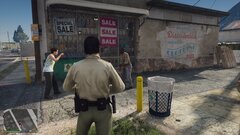
From the album: DeLuca's Collection
Preview of an additional callout 'Public Dispute' for CC v0.4. Follow here: https://www.lcpdfr.com/forums/topic/107252-wiprel-delucas-county-callouts-03/ -
[News]: Video demonstration of some upcoming content for 0.4 release. It's been awhile since an update so just a little preview of some WIP content. Mainly showing the new domestic dispute callout featuring interior usage. As of now I only have two fitting interiors to work with. Hopefully a variety of add-on interiors will be coming in another future update. A lot of the groundwork is done. Focus will shift to bug fixes and fine tuning with a 0.4 release date hopefully coming soon. All major releases can be found here, and more in-depth details and updates can be found on my personal index. As always feedback and positive criticism is welcome, and thank you to everyone for over 18,000+ total downloads of County Callouts!
-
From the album: DeLuca's Collection
-
From the album: DeLuca's Collection
-
I sorta answered this in your other support topic. The .Around function needs a minimum and maximum distance for what you're trying to do. This will find a spot on a road within these ranges. If it's spawning too close then raise 190 to a higher number. If it's too far away then lower 500 to a lower number. It's also a good idea to add a little while loop with a count timer so your code never hangs while trying to find a position. World.GetNextPositionOnStreet(Game.LocalPlayer.Character.Position.Around(190, 500)); // (closest position to player, furthest position to player)
-
It looks like you're trying to create your suspect ped at spawn point but spawn point is defined as suspects position after you've attempted to spawn the ped. You need to get the coordinates for SpawnPoint before using it. // Define what your Spawn Point coordinates are. This will grab a random position on the street around your player. Vector3 SpawnPoint = World.GetNextPositionOnStreet(Game.LocalPlayer.Character.Position.Around(190, 500)); // Now you can spawn your ped at the specified coordinates held in SpawnPoint Ped Suspect = new Ped("a_m_o_tramp_01", SpawnPoint, 10f); // You can then reuse SpawnPoint to get the ped coordinates or assign it to a new Vector3 Vector3 SpawnPoint2 = Suspect.Position; Just be sure to define the SpawnPoint BEFORE trying to create your ped or you'll have issues. If you have a specific location you want to spawn your ped at then just define SpawnPoint as the x, y, z and use it the same way.
-
I'll add an additional config setting for probability of each call in the next update.
- 127 comments
- 13 reviews
-
-
- 1
-
-
[Update]: Open Alpha 0.3.0 has been released. 0.3.0 Alpha - Update Release - Customization Update + Bug Fixes Fixed various bugs throughout all current calls Added supporting details to Illegal Off-roading Added more detail and smoothed out Unstable, Animal Hit, and Deputy Check calls Added .ini configuration file for custom settings Added customization to allow odds of common and rare scenario outcomes Added customization for minimum and maximum call distance spawning Added keypress customization Added new outcomes to the Meth Lab Explosion call Details on next big update 0.4!
-
There will be in the next update 0.3. I do not have an estimated release date yet but hopefully it'll be soon.
- 127 comments
- 13 reviews
-
It reads from your LSPD:FR backup config or your UltimateBackup configs if you have it installed. It could possibly be an issue with the way your custom config file is working with EUP. This plugin itself doesn't read from anywhere other then the backup data config, but I will look into it anyways. I can if it's preferred. I'll try to add support in the next update.
- 127 comments
- 13 reviews
-
Thanks for the download and suggestion! PM me a link to your stream if you don't mind. I'll add more distance to the minimum check in the next release.
- 127 comments
- 13 reviews
-
Not a bug, it's just referencing which plugin (County Callouts) has initiated the callout. I figured it would be easier to be able to see which calls belong to which plugins. As far as bug related, it is cutting off the location of the callout though.
- 127 comments
- 13 reviews
-
"LSPD First Response: [INFO] Running LSPD First Response 0.4.7" - This is your problem. You need to be using the new LSPD:FR version 0.4.8. This callout pack uses the brand new advisory messages only found in the new API. Download the latest version and try again.
- 127 comments
- 13 reviews
-
-
- 1
-
-
Are you using LSPD:FR 0.4.8 and a legal copy of GTA V? What does it say when you go on-duty or try to force a call? Post in the release topic for extended support please.
- 127 comments
- 13 reviews
-
[Update]: Open Alpha 0.2.0 has been released. 0.2.0 Alpha - Update Release - Adding new Callouts: Meth Lab Explosion + Unstable Subject Added new Callout: Meth Lab Explosion (Currently three locations) (Low Prob) Added new Callout: Unstable Individual (30+ custom locations) (Average Prob) Added probability chances to all calls for more realistic flow Added more variety to Sheriff Vehicles/Peds appearance on all calls (Supports EUP) Added Animations & Voice responses to some calls Added player set radio anim to calls which must be manually ended (API 0.4.8) Added integrated support for StopThePed and UltimateBackup (Still works without, but not recommended) Clean/Touch ups all around Internal coding for groundwork of future updates See Updated Original Description for more details!
-
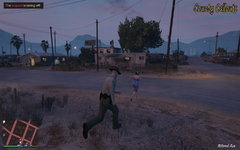
From the album: DeLuca's Collection
County Callouts v0.2 - WIP - Multi-scenario, custom location call! -
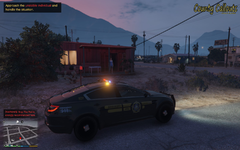
From the album: DeLuca's Collection
County Callouts v0.2 - WIP - Multi-scenario, custom location call! -
Thank you very much! It's the Dispatchworks Pack. All vanilla-based addon cars.
- 127 comments
- 13 reviews
-
-
- 1
-
-
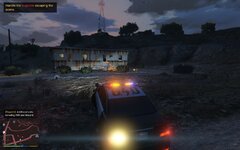
From the album: DeLuca's Collection
County Callouts - 0.2 WIP - New callout featuring multiple locations and outcomes. -
[Update]: Open Alpha 0.1.0 is released and download link added, pending moderator approval.


