




Sharakon
Members
-
Joined
-
Last visited
Everything posted by Sharakon
-
My game is updated to the newest with the cayo heist. I install my vehicles usually in a dlcpack 23... or 17... but when i go into my OpenIV i do not see the police1, police2, etc... I just tried copying the latest dlcpack and it still doesnt show up. I used to have custom vehicles but ever since i updated LSPDFR i have been missing that and I also have updated all my plug ins and stuff so i have no clue whats going on.
-
All my custom cars that i added through OpenIV and use ELS are gone? Does anyone know why this happened?
-
how do i do that?
-
I updated everything as I should... heres my log if someone smarter than I am could help me I would appreciate it thank you! RagePluginHook_05012021_034829.log
-
Hey thanks man for this man I appreciate it!
-
So I purchased GTA 4 on Steam... and now i just read in the LCPDFR dealio that its recommended that i install it through the RockStar Launcher... so how screwed am I? Does that mean I cant be a cop on GTA4 now? 😞
-
will give it a run Holy shit it worked!!!!! Thank you brooo!! wait @Mud im crashing again bro 😞
-
delete the text and save as a clean .txt?
-
RagePluginHook.log
-
yeah i can play GTA 5 regularly
-
Is it my Script Hook V??
-
Didnt work 😞
-
RagePluginHook.log
-
Dude i replaced everything in the new folder into what i have now i just keep crashing -____________- WHYYY!
-
What file do I need to replace to update to the current version of LSPDFR? Im new im sorry.
-
Thank you very much sir much appreciated!
-
-
Okay thanks! Hey by chance do you have a BLUE LIGHT rig that I could place on vehicles as well? And Do you know the names of the FIB/Noose unmarked vehicles? I appreciate your help man
-
Thank you very much sir.. can I edit that in any Patchday? Or does it have to a specific one?
-
Can someone please let me know the name of the Snowy vehicles are? Like I dont want them at all I wanna put my modded cars in replace of those two vehicles does anyone know the NAME.ytd etc. Is? Like for an example I do not like the LSPD Cruiser so that was called police.ytd or and so i just renamed my modded car with that and it replaced the default cruiser... id like to replace the snow vehicles and just need to know the names of the two snowy vehicles. And more vehicle names would be great as well because ive seen a Police4 and cant seem to make it work.. perhaps i need a different patch to add a Police4? If anyone could help that would be awesome. Thanks!
-
it worked guys!! yes now i just gotta edit the keys in the key.ini for lspdf to change it so it wont cover it with the LSPDFR stuff this is sick!
-
Okay so... I put the StopThePed folder which contains the .dll and config file.. in the following GTA5\plugins\lspdfr\ .dll and config\ stop the ped folder (containing audio and xml's etc. this is very confusing haha hopefully i got it this time will run this and see.
-
So I need GTA5\plugins\plugins\lspdfr or GTA5\plugins\lspdfr\plugins?
-
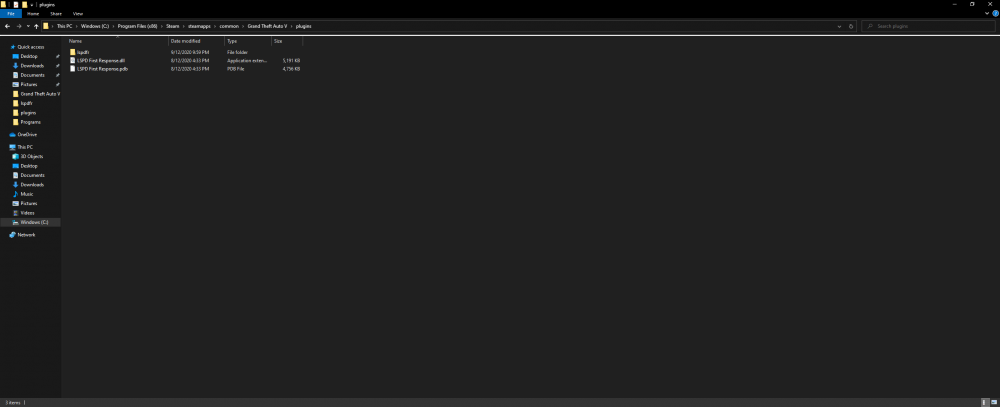
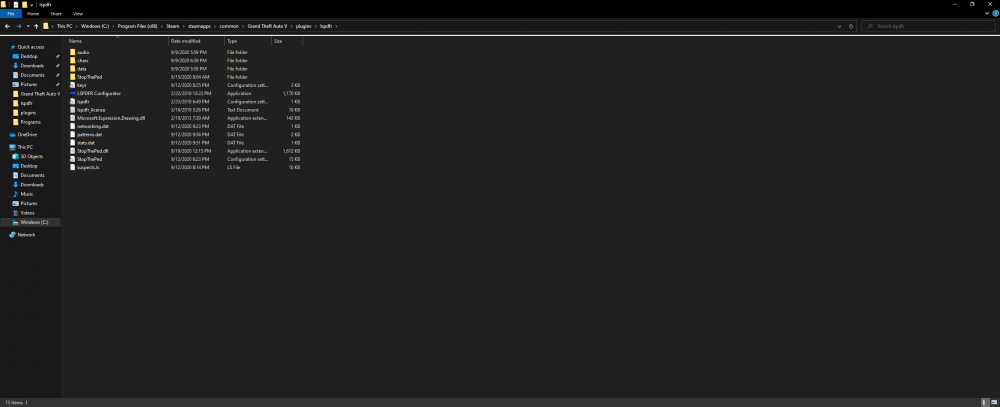
The reason the First Response is like that in plug ins is because it runs like that i even moved those at one point to the LSPDF folder... and it wouldnt work when i hit F4 and typed in the command: "ReloadAllPlugins" and so i leave it there because itll actually run. that for Folder Path image 2. Folder Path 3 is the lspdf folder path.
-
yeah bro now im freezing in the game and LSPDFR crashes



