




detMaxPayne
Members
-
Joined
-
Last visited
Everything posted by detMaxPayne
-
hi 1) I currently use jurisdiction+ Map3 from TreadRed and ultimate backup (including backup+) I would like to modify type of police car both appear on patrol and appear when I use ultimate backup which file I need to edit there are many XML file in lspdfr/data and Plugins folder which have similar line and detail it made me confused 2) some vehicle line have "pax" "chance" "variety" "carcolor" but some have not , what difference? 3) I have texture loading problem anyone know what is the cause can anyone help me thanks RagePluginHook.log
-
-
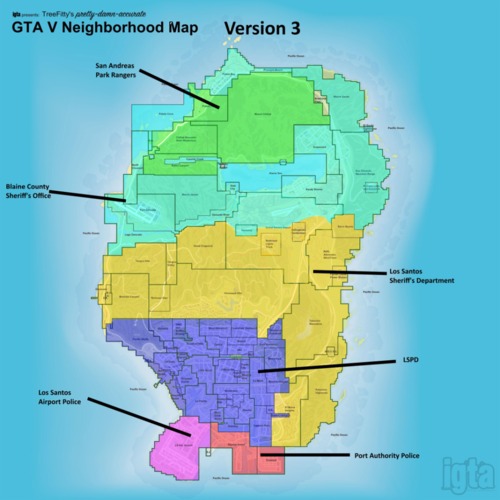 @TreadRed I have 2 question 1) is this file conflict with LSPDFR Backup+ ? , ped still use EUP uniform ? 2) i'm using LSPD Mega pack (LAPD based) which have police1 - police9 I would like to have these 9 types of car appear randomly on patrol and on back up call (only in LSPD ,Airport , Port jurisdiction) which file I need to modify. (agency , backup ,Customregion , special unit .xml ) Thanks in advance
- 62 comments
- 1 review
-
 hi again here is my latest log i played Humane lab robbery but i got killed robbery at the time i respawned the game crashed i'm not sure it's from the callouts maybe you can figured out RagePluginHook.log
- 643 comments
- 53 reviews
-
 great vehicle pack professional work highly detailed i see some issue 2018 tahoe windsheild glass unbreakable when shot if the window glass working properly it would be the perfect one , Dodge charger is flawless model nice work
 -
Problem solved!!!! I don't know why after couple times of crashing , i tried the third and it work no crashing anymore thanks
-
could you point out the exact location of the file please , I checked \Grand Theft Auto V\lspdfr there is "lspdfr.ini" but i didn't see ambeint even setting only these setting " Main.PreloadAllModels = true Callouts.Multiplier = 250 WorldEvents.IntervalMultiplier = 1.0f WorldEvents.MaxNumberOfEvents = 1 Chase.CopsCanCommandeerVehicles = true "
-
the game work fine , but when i try to sync lspdfr i click "Login" button and the game crashed to desktop i don't know why my default browser is Edge my log attached RagePluginHook.log
-
the log already overwritten so I might redownload it if the crash occur i will tell you , thanks for the reply
- 643 comments
- 53 reviews
-
Great Callouts but as I use this callouts it has a random crash I figured out because I removed this and the game work fine without any crash
- 643 comments
- 53 reviews


