


Radius
Members
-
Joined
-
Last visited
Everything posted by Radius
-
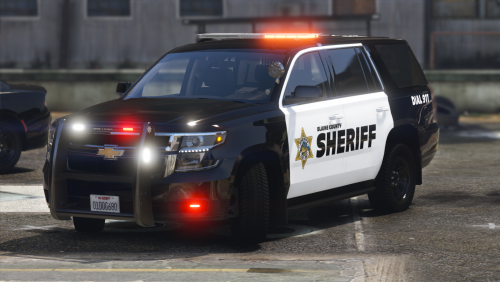 Pretty happy with how this turned out, this is one of my first public releases, and is still a WIP, so expect updates. Let me know if anything is wrong with the pack. This pack includes 4 vehicles, a slicktop Tahoe, fully marked Tahoe, slicktop Charger, and a fully marked Charger. Feel free to change up the livery with the templates provided. DO NOT attempt to RIP or RE UPLOAD my vehicles anywhere else. I also have a discord if any of you are interested: https://discord.gg/Jk7ve4g
- 24 comments
- 3 reviews
-
-

-

- 10
-

