


TrooperBrooks
Members
-
Joined
-
Last visited
Everything posted by TrooperBrooks
-
 Game changer, way better than STP adds a ton of features and possibilites. They worked long and hard on this and its fantastic.
- 617 comments
- 48 reviews
-
-

- 2
-
-
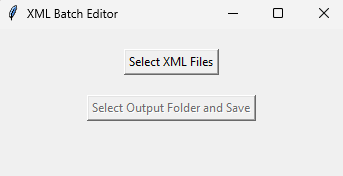 This is an app that quickly edits all your ELS xml files for people who like to only use stage 3 lighting with one press of their J key (or whatever ELS keybnind you use). A few packs I have used do this and I have about 100 ELS .xml files installed so I made this to change all of the quickly without having to go into each file and change them one by one. Hope it helps. Usage Just click select .xml files, then go to your pack_default folder in (C:\Program Files (x86)\Steam\steamapps\common\Grand Theft Auto V\ELS\pack_default) and upload whatever vehicle's .xml files that you would like to only have stage 3 lighting (can be as many as you want). Then click "Select Output Folder and Save" and you can save them all right back into your ELS pack_default folder. Disclaimer This tool may be incorrectly flagged as malicious. This is because the tool is unsigned. Source code is included in file if you're worried.
 -
Great mod good work!!!
-
Yes same issue here!
-
 Bro is this a virus? Because I ran the .exe file and something beeped and it didn't launch. I got scarred and deleted all files for it and ran a windows scan.
- 79 comments
- 28 reviews
-
Really laggy for some reason while in Computer+. Dosnt lag the game though.
-
Hello, I need help with a problem. How do i get fire to respond with and actual fire truck? They always come in a police vehicle.
-
.thumb.png.106d12edcf94b043cf0ee1adf852f306.png) I love it!!!! Great job man keep it up!
I love it!!!! Great job man keep it up!

.thumb.png.106d12edcf94b043cf0ee1adf852f306.png)