



way2geeked
Members
-
Joined
-
Last visited
Everything posted by way2geeked
-
This is a different issue than what Im experiencing. If anyone has suggestions or can help, Id really appreciate it — Ive been trying to fix this since yesterday :/
-
That option doesnt show up for me. Theres no “This file came from another computer” message and no Unblock checkbox in the properties.
-
I already disabled BattlEye in the Epic Games and Rockstar Games Launcher LSPDFR is not installed rn and i tried the last step, doesnt work unfortunately

-
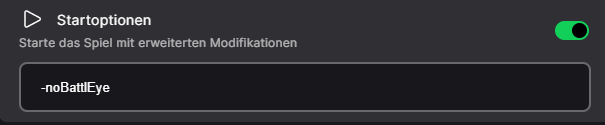
Yo yo, I own GTA 5 Legacy through the Epic Games Launcher and wanted to play with mods again today. Right now I only have ScriptHookV and TrainerV installed. I already disabled BattlEye (via the Rockstar Launcher), and I also added -nobattleye in the launch arguments on Epic Games. My problem: As soon as I put the dinput8.dll (the one from the ScriptHookV folder) into the GTA directory, the game just won’t start anymore. Without the dinput8.dll, the game launches perfectly fine in vanilla. I’ve already tried everything – reinstalling the game, restarting my PC, reinstalling the Rockstar Launcher, updating drivers, and even disabling Windows Defender or whitelisting GTA. I’ve also looked online, but apparently no one has exactly the same issue. According to Epic and the Rockstar Launcher, the game is running, and in Task Manager “Grand Theft Auto V” is active, but nothing opens. I’m also using the correct ScriptHookV version btw. Can anyone help me?


-
Yoyo, ich besitze GTA 5 Legacy über den Epic Games Launcher und wollte heute mal wieder mit Mods zocken. Hab aktuell nur ScriptHookV und TrainerV drin. BattlEye hab ich schon deaktiviert (über R* Launcher) und bei Epic Games hab ich auch bei den Startargumenten -nobattleye drinne stehen. Mein Problem: Sobald ich die dinput8.dll (die aus dem ScriptHookV Ordner) in den GTA Ordner ziehe, startet das Spiel einfach nicht mehr. Ohne die dinput8.dll startet das Spiel einwandfrei in Vanilla. Hab schon alles probiert - Spiel neu installiert, PC neugestartet, R* Launcher neuinstalliert, Treiber aktualisiert & Windows Defender aus oder GTA gewhitelisted. Hab auch schon im Internet geschaut, genau das gleiche Problem hat anscheinend keiner. Kann mir jemand helfen? + Laut Epic und R Launcher wird das Spiel ausgeführt und im Taskmanager läuft "Grand Theft Auto V" aber es öffnet nichts. Hab auch die passende ScriptHookV Version btw



-
 thank you bro! thank you bro!
 -
Please do not republish this package or claim that it is yours. Bitte veröffentlichen Sie dieses Paket nicht erneut und behaupten Sie nicht, dass es Ihnen gehört.
-
-
ok man thank you so much! love you #nohomo
-
No, I renamed the mods folder to _mods. But the mods are no longer active in the game, for example modified cars.
-
But my mods are gone now! Are there possibilities
-
thx you man
-
Hey so my LSPDFR crashes everytime i load in the game. I dont know why... Any fixes? Here is my log: RagePluginHook.log


