


DP24
Members
-
Joined
-
Last visited
Everything posted by DP24
-
Looks like this is the fix. It recovered update2.rpf though, is that ok? Thanks for the help! 🙂
-
I put an underscore on mods, modmanager, and ELS, and still crashes on start-up.
-
RagePluginHook_18122023_012004.log
-
No luck, same issue 😞
-
Game is also crashing when launching through steam and Rockstar Game Launcher.
-
Same issue It also doesn't seem to generate a new RPH.log file except this one. RagePluginHookLauncher.log
-
-
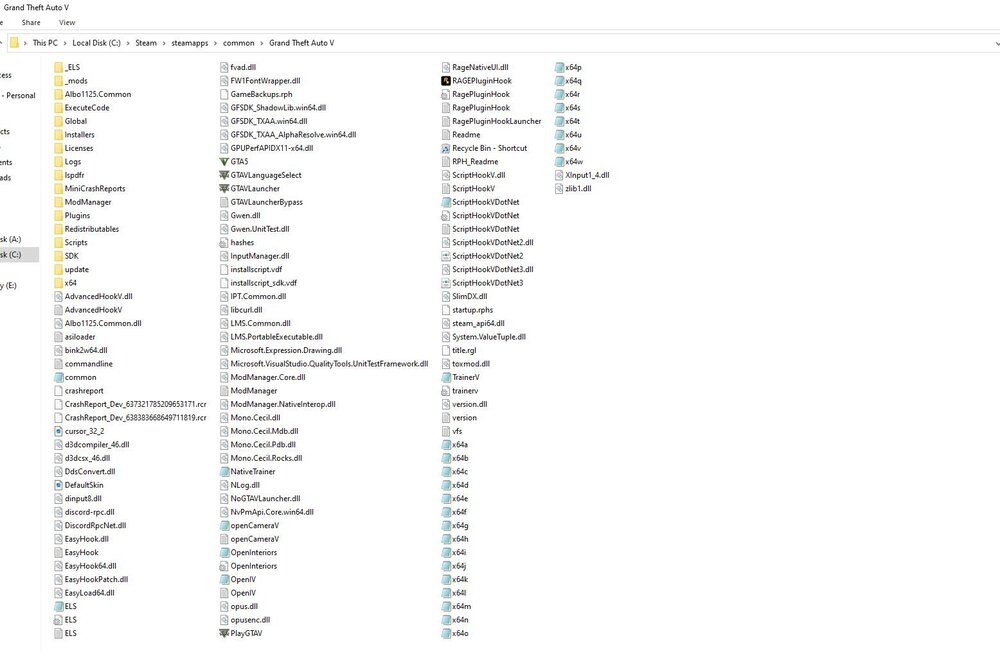
RPH crashes after the police light cut scene starts. Everything should've been updated unless forgot to update something. Mods folder was just updated by copying update.rpf from update folder to mods>update. RagePluginHook.log Renamed mods folder to _mods and now game crashes instantly. RagePluginHook.log
-
 I downloaded it correctly, but can't find it in the EUP menu. Rather the "Task" menu in the game.
- 554 comments
- 46 reviews
-
Yeah it was right under the RPH.ini file, and that's why I'm confused on why it's not creating a new one. I think this is the ScriptHook V log, but if it how do I find it? ScriptHookV.log
-
There's a log, but it is an old one it just won't create a new one. Here it is if you want it. RagePluginHook.log I tried renaming the mods folder too, and it still doesn't work. Also where would I have to change the name on File Explorer or Open IV?
-
I can't get a new log for some reason, I tried loading RPH and still can't get a log after.
-
Yes the game is that version, and I redownloaded Script Hook V, and RPH multiple times.
-
I did that, and it said something like, "Copy new version of update.rpf" , so I did that, and still has the same error when loading. Thanks, will use the steps to restore mods.
-
No, how do I update it? And also does it delete the mods, if so is there a way to not delete them?
-
I verified the files, and it still has the same issue.
-
The game version is 1.0.2245.0 is that out of date? If it is how do I update it because on Steam there is no option to update.
-
I believe the game is already up to date, because when I checked steam it said last updated March 31st, unless there's another update.
-
I don't know why, but I try to load RPH, then shortly after I get a pop up saying critical error, then the supported game versions are listed below. Is there a problem with Script Hook V, or is it something else? I also included my RPH log.RagePluginHook.log Thanks.
-
Ok thanks for trying to help, and have a good day!
-
I changed the handling.meta, but when it started to crash I put the original back into the mods folder, and the game still crashed.
-
That worked It then removes all the mods and plugins I put then.
-
-
My RPH is crashing right before loading into the game.RagePluginHook.log
-
Unexpected crash when going on duty at station. RagePluginHook.log


