CanadianNerd
Members
-
Joined
-
Last visited
Everything posted by CanadianNerd
-
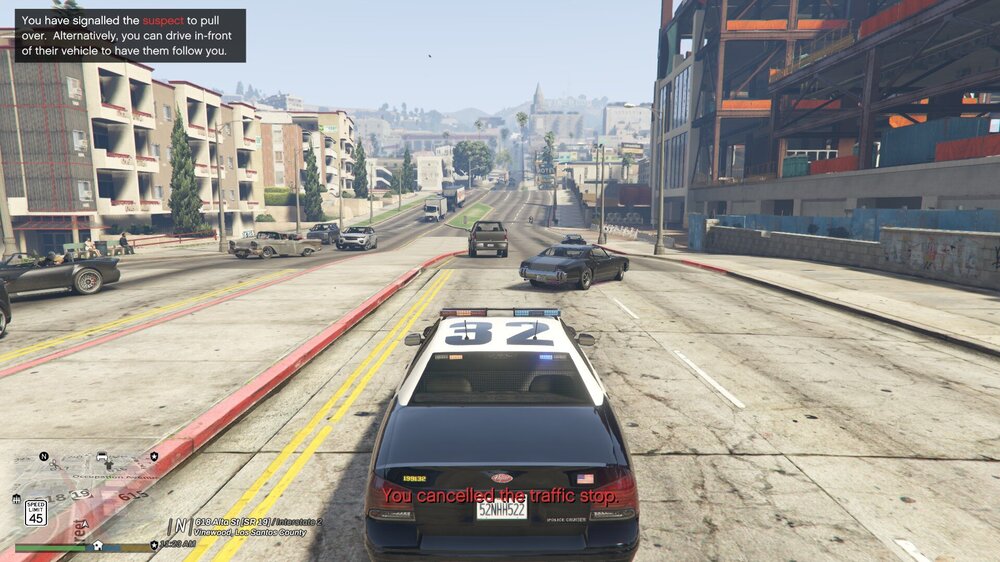
I'm unsure if it's a corrupted file or my game resolution, but this issue has been happening all the time I keep reinstalling LSPDFR. This might even just be a box I forgot to tick on in the RPH Menu, LOL.
-
Been trying to figure it out but never really had the time so that's why I've switched to here hoping to get an answer to my question, Whenever I load up LSPDFR and go On-Duty in (ex; Sandy Shores) instead of saying that I am assigned (on duty) with the Los Santos Sheriff's Office it will say that I am with the Los Santos Police Department instead, the same thing with pretty much all the other stations. Is there any fix to this?
-
Sorry i just saw this, i fixed it a few days ago
-
right before my lspdfr loads in it crashes and says the typical error message "LSPDFR.dll has crashed" and just places me in a infinite loading screen any fix to this?