


ReapPa
Members
-
Joined
-
Last visited
Everything posted by ReapPa
-
Verified and no issues found. Uninstalled LSPDFR, and installed it manually. Still doesn't work. Looks like it's just not meant to be. Thanks anyways for your help trying to solve my Problem.
-
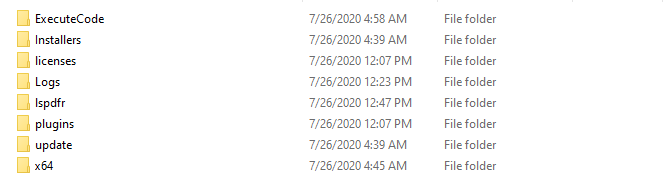
That's all the folders i have. Tried the thing with the CommandLine.txt, didn't change anything.
-
I tried everything you told me to, but unfortunately the game still crashes the same way it crashed before 😕 I attached the new RagePluginHook.log to look at. RagePluginHook.log
-
Hello, i just installed LSPDFR for a long time again. The issue im having is, when i start the game, and im in the Game for like 1 min, the game just crashes without any error messages, or w/e. I attached my RagePluginHook.log that comes right after the crash. I hope someone can help me with this issue. Thanks RagePluginHook.log
